
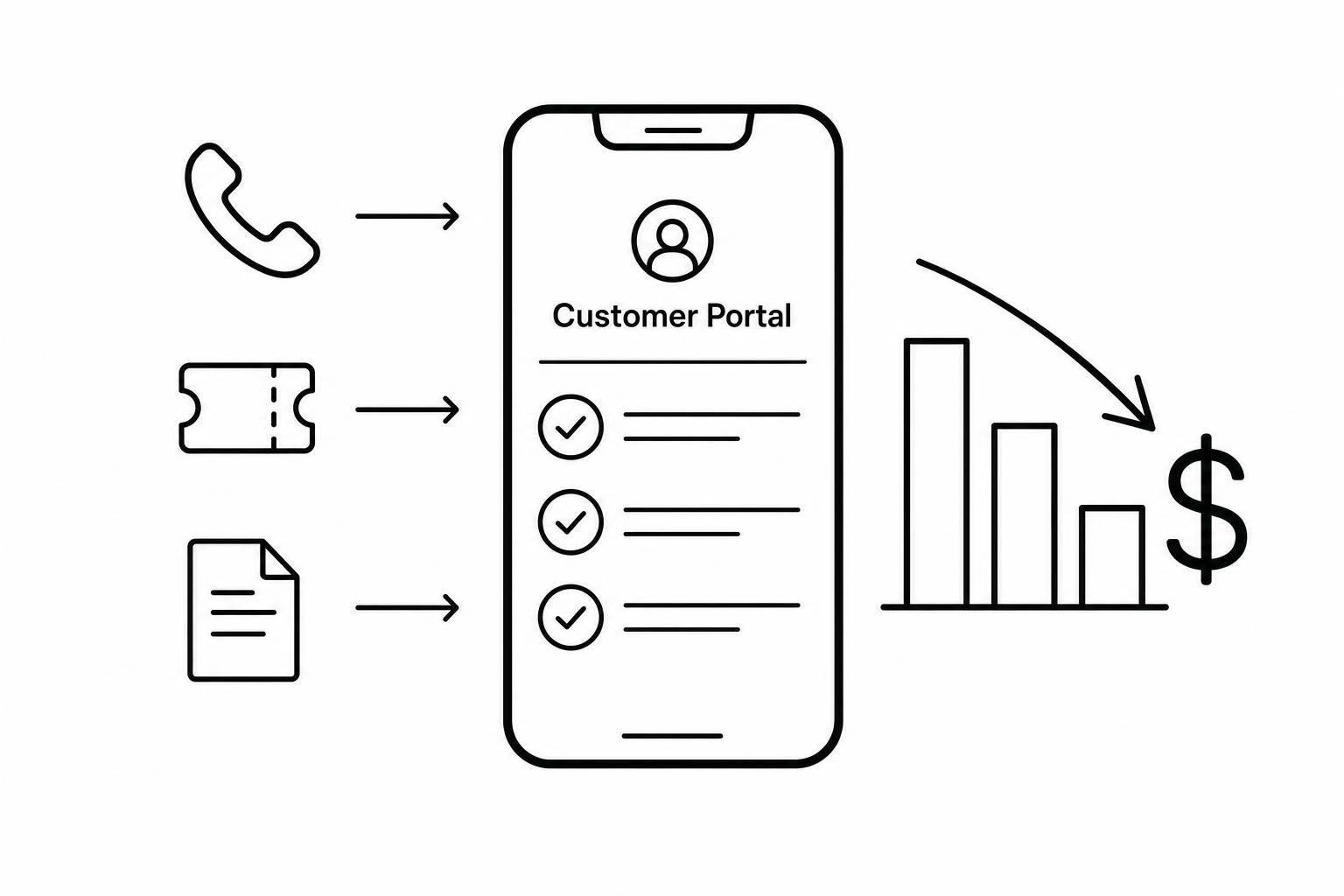
How Customer Portals Lower Hire Admin Costs
August 17, 2026 · 9 min read
How Customer Portals Lower Hire Admin Costs
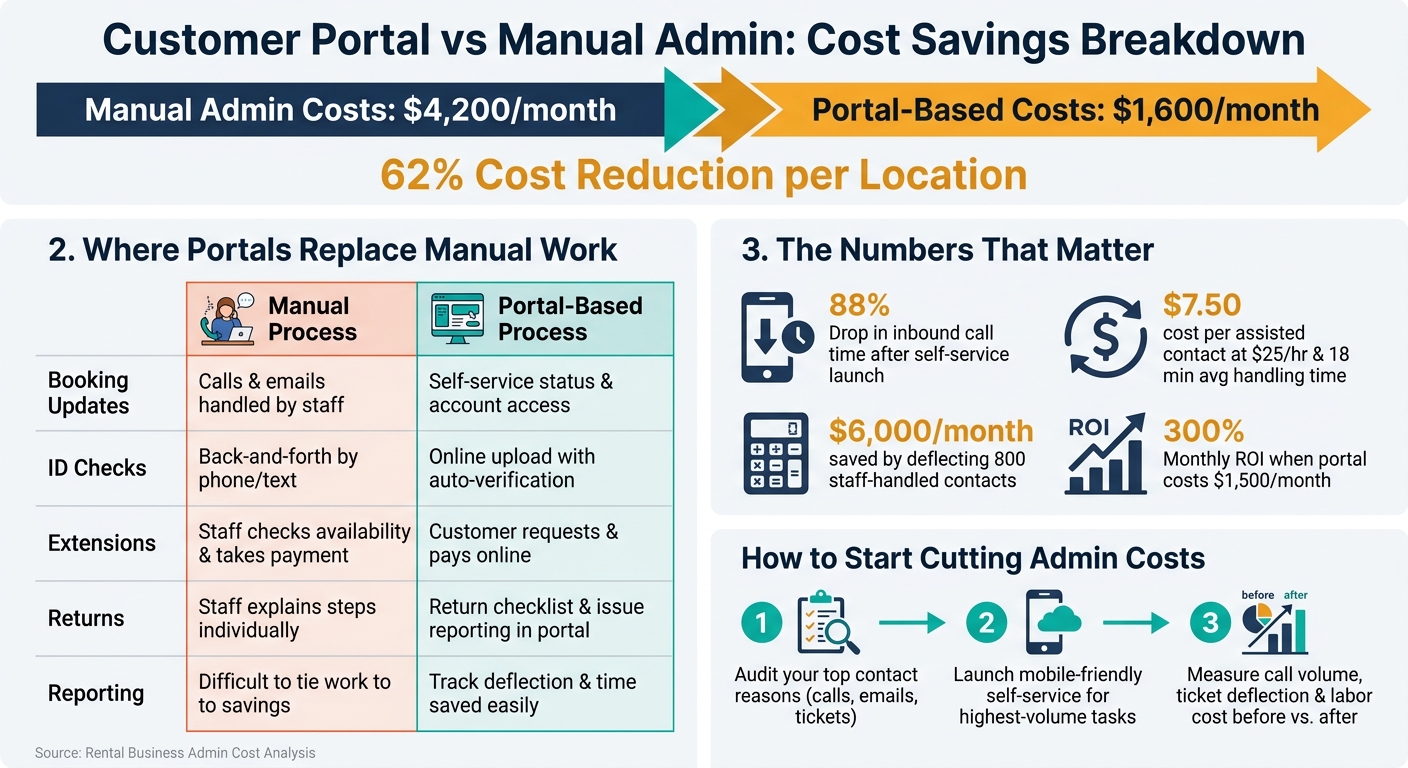
Customer portals cut admin work by moving repeat hire tasks to self-service. In the article’s data, manual vs. automated rental processes cost rental operators about $4,200 per month per location, while automated frontline workflows brought that down to $1,600 - a 62% drop.
If I strip it down, the article says this:
- You spend too much staff time on the same small jobs
- The biggest drains are status checks, ID collection, payment follow-ups, extensions, and returns
- A portal lets customers do those jobs on their own, often from their phone
- Labor savings come from fewer calls, fewer tickets, and less time per booking
- The best setup starts small: fix your highest-volume support tasks first
- You should track results with call volume, ticket deflection, handling time, and labor cost saved
A few numbers stand out:
- 88% drop in inbound call time after self-service change requests at one rental business
- $7.50 cost per assisted contact at $25.00/hour and 18 minutes per interaction
- $6,000.00/month saved if you deflect 800 staff-handled contacts
- 300% monthly ROI in the article’s sample math when software costs $1,500.00/month
Here’s the core idea: if customers can check bookings, upload ID, pay balances, extend hires, and follow return steps without calling your team, you can grow bookings without adding the same level of admin payroll.
| Area | Manual process | Portal-based process | Cost effect |
|---|---|---|---|
| Booking updates | Calls, emails, staff replies | Self-service status and account access | Less staff time per booking |
| ID checks | Back-and-forth by phone or text | Online upload and auto-checks | Fewer manual reviews |
| Extensions | Staff checks availability and payment | Customer requests and pays online | Fewer interruptions |
| Returns | Staff explains steps one by one | Return steps and issue reporting in portal | Less support work |
| Reporting | Hard to tie work to savings | Track deflection and time saved | Clearer labor math |
If I were taking action from this article, I’d do three things first: audit top contact reasons, launch mobile-friendly self-service for those tasks, and measure labor savings before and after launch.
Where Customer Portals Cut Admin Work
Customer portals take repetitive booking and support work out of staff inboxes. Instead of calling, emailing, or texting for every small request, customers handle those tasks on their own, any time, from their phone.
The best place to start is with the tasks that show up over and over again. Identifying these areas is the first step to automate rental business operations effectively.
Online Booking, Order Updates, and Account Access
A portal puts key booking details in one place: availability, booking status, pickup instructions, invoices, and payment status.
That also helps cut duplicate data entry. When a customer updates their details in the portal, the change can flow straight into the booking system instead of forcing staff to enter the same info in several places.
Digital ID Checks and Self-Service Hire Extensions
Customers can upload ID in the portal, and verification runs automatically. Staff only need to step in for exceptions. That cuts a lot of back-and-forth over phone calls and text messages.
Hire extensions work in much the same way. Customers request extra time, see the extension price, and complete the extension online. The booking then updates automatically.
Automated Messages, Return Steps, and Damage and Issue Reporting
Automated messaging templates take a big chunk of admin off the team’s plate. Booking confirmations, pickup reminders, due-date reminders, overdue notices, and return checklists can all go out without a staff member sending them one by one. Customers get the right reminder at the right time, and staff no longer have to track who was contacted.
Return steps can also live inside the portal. Customers can check where to return the item, what condition it needs to be in, and what photos or checks are needed before handoff is done. They can also submit damage or issue reports with photos and timestamps, which helps staff respond faster.
One portal can manage all of these workflows in one place. Lockii brings them together with customer portals, identity verification, SMS and email automation, self-service order extensions, hire-end photos, find-my-order pages, and AI customer support tools in one rental-focused system.
How to Set Up a Portal That Actually Cuts Labor Hours
When you're building a customer portal, keep it simple at first. Start with a small set of tasks, make sure they work, and then add more. That approach is easier on your team, and it gives you proof that the portal is cutting work before you invest more time into it.
Start With Your Highest-Volume Support Tasks
Your best rollout plan is sitting in your support history. Look at the last 3 to 6 months of calls, emails, and support tickets, then group them into buckets like booking status questions, ID checks, extension requests, payment follow-ups, and return instructions.
From there, focus on the categories that eat up the most staff time or break up the workday the most. That’s where the portal can make the biggest dent first.
Hitch Haul reported an 88% drop in inbound call time within a month after self-service change requests launched. [1]
That’s the pattern to follow: build those contactless rental flows first, watch how customers use them, and expand once people can finish the task without staff stepping in. After your highest-volume jobs run cleanly, move to the next batch of time drains.
Build Simple Portal Flows for Mobile Users
Most customers will open the portal on their phone, often while standing right next to the rental item. So each flow needs to work in just a few taps, with as little typing as possible. Short forms help. Clear labels help. One obvious action per screen helps even more.
A good mobile flow should take someone from login to extension in a few taps. No extra steps. No long form fields. No hunting around for the next button.
If a customer can’t finish the task on mobile, your staff still gets the call. That’s why completion rate matters more than feature count. A portal with fewer features that people can actually use beats a bloated one every time.
A clean flow only cuts labor when it also connects to live booking and payment data.
Connect Bookings, Payments, Locks, and Tracking Data
Live data is the part that turns a portal into labor savings. Without it, the portal is just a nice-looking page that sends people back to your team.
If a customer checks booking status and sees old information, they’ll call to confirm. At that point, the time savings vanish. Same story with balances, access details, or return steps. If the portal isn’t pulling from the same systems your team uses, people won’t trust what they see.
The portal should connect to the systems that run the day-to-day operation, including:
- Real-time booking status
- Outstanding balances
- Access instructions
- Return requirements
For Lockii users, that means linking booking status, payments, identity checks, access codes, and tracking in one live system.
That live connection is what moves a portal from a static info page to a working part of your operation. When access codes go out on their own and returns log without manual checks, you can tie the portal to labor hours saved in a very direct way.
How to Measure Admin Savings From a Customer Portal
Once your portal is live and doing the jobs it was built to do, the next step is pretty simple: is it cutting labor hours, or just giving you one more tool to manage? You can answer that by tracking a small group of metrics before and after launch.
Track Call Volume, Ticket Deflection, and Handling Time
Start with a baseline window, like the 90 days before the portal went live. Then compare that period with a similar post-launch window during roughly the same seasonal demand. The key is to measure the exact same tasks you moved into the portal, so the comparison is clean.
Pull your inbound calls and email or chat tickets by reason code, such as booking status, extensions, access issues, and billing questions. Then note how long your team spent, on average, to handle each one.
After launch, track those same categories again. Pay close attention to portal adoption and self-service completion: how many customers are using the portal, and how many tasks get done without staff help. You should also track ticket deflection, average time per contact, and first-contact resolution for the contacts that still come in.
When those numbers move in the right direction, the labor impact is easy to see. Fewer calls, shorter handling time, and more self-service completions mean fewer staff hours tied up in routine work.
Calculate Labor Savings in Dollars
The math is simple. Multiply your all-in hourly cost by the average time per contact to get your cost per contact. At $25.00/hour and 18 minutes, each assisted interaction costs $7.50. If you deflect 800 interactions, that saves $6,000.00 per month. [3][4][5][6]
If your portal and automation cost $1,500.00 per month, your monthly ROI is 300%.
Review Remaining Contact Reasons
The contacts that still come through tell you where the portal still falls short. Once a month, export your call and ticket logs and rank the top reasons customers still reached out.
Look for patterns. Maybe customers get stuck on pickup instructions. Maybe the extension flow is clunky on mobile. Maybe automated messages leave out a key detail.
Each top contact reason points to a gap in the portal or in your automated communications. From there, you can tighten the wording, add a missing self-service step, or improve the SMS and email sequence that walks customers through pickup, mid-rental changes, and returns.
Conclusion: Grow Your Rental Business Without Adding More Staff
The math is pretty clear: every task a customer handles in the portal is time your team doesn’t have to spend on it. When bookings, ID checks, order changes, extensions, and returns move into self-service, your staff deals with fewer touchpoints on each hire. And as booking volume climbs, those time savings stack up fast.
Start with the basics. Audit inbound contacts, build mobile-first self-service flows, connect live booking, payment, and access data, and track deflection plus labor cost per booking.
There’s a hard dollar impact here too. Businesses that move to self-service automation report frontline staffing costs dropping from $4,200 to $1,600 per month per location [2].
One system can cover that workflow: Lockii brings together booking widgets, ID verification, extensions, tracking, and support in one system. That means you can add locations without adding headcount.
The rental businesses growing fastest are cutting manual touchpoints, linking self-service tools together, and tracking every dollar saved.