
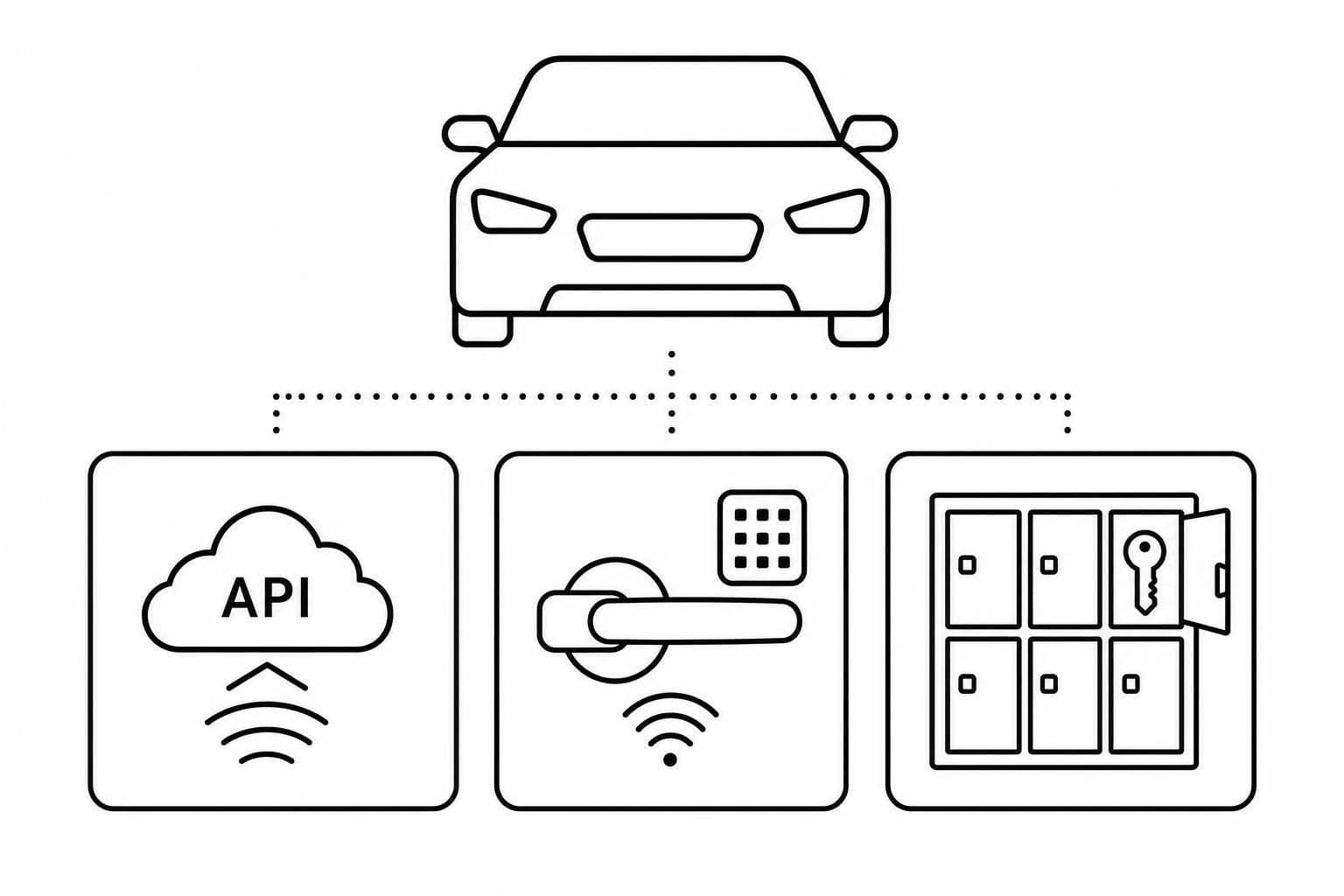
Car Rental Keyless Entry: Brand Comparison
August 9, 2026 · 12 min read
Car Rental Keyless Entry: Brand Comparison
If I had to boil this down to one point, it’s this: the right setup depends on _how_ you give access, _what happens when tech fails_, and _how much staff time you want to cut_.
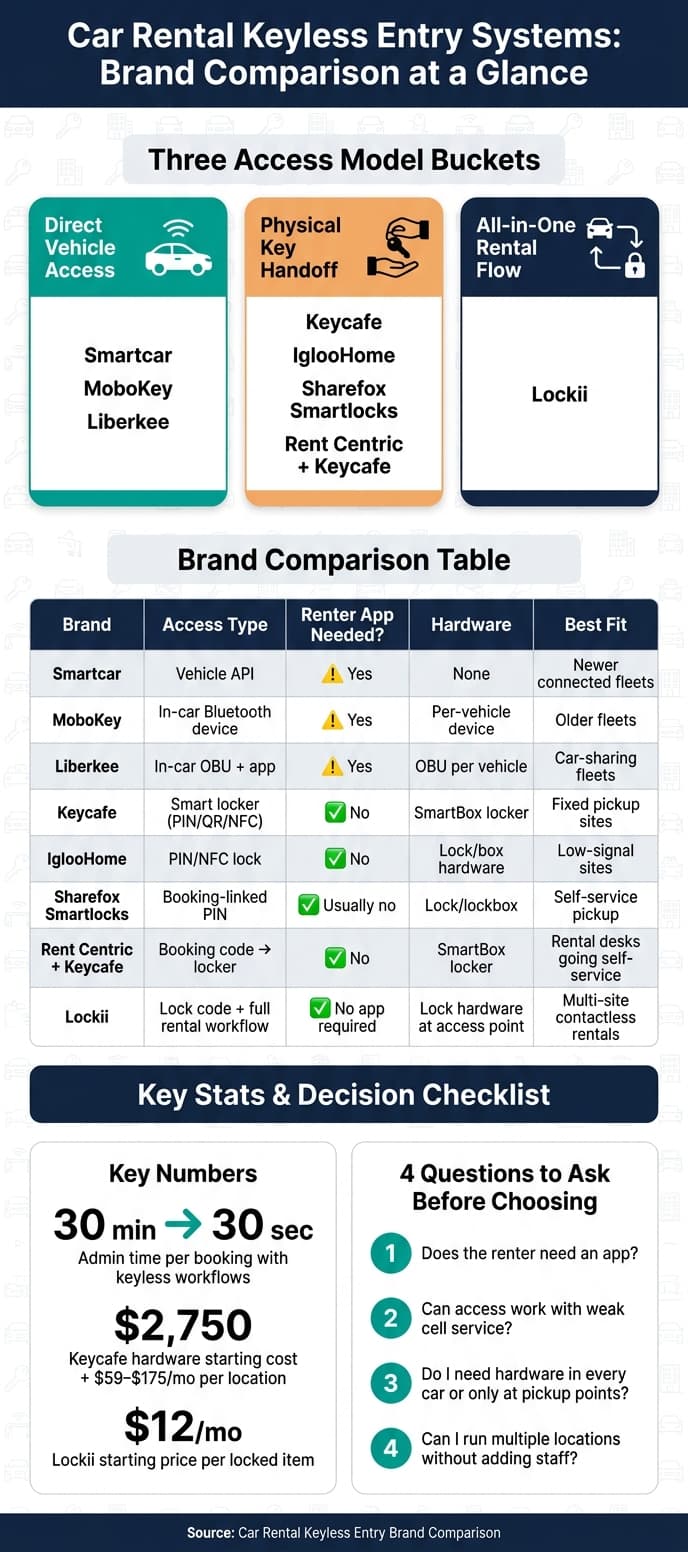
From this comparison, I’d group the brands into three clear buckets:
- Direct vehicle access: Smartcar, MoboKey, Liberkee
- Physical key handoff: Keycafe, IglooHome, Sharefox Smartlocks, Rent Centric + Keycafe
- All-in-one rental flow with lock links: Lockii
Here’s the short version of what matters most:
- Smartcar works best for newer connected vehicles and needs no extra in-car hardware
- MoboKey and Liberkee fit older fleets better, but they need per-vehicle devices and a renter app
- Keycafe and Rent Centric + Keycafe focus on secure key pickup
- IglooHome stands out for offline PIN-based access at low-signal lots
- Sharefox Smartlocks ties booking windows to PIN-based pickup
- Lockii links booking, ID checks, SMS/email access, GPS, returns, maintenance blocking, and logs in one flow
A few numbers stand out right away:
- Keyless workflows can cut admin work from 30 minutes to about 30 seconds per booking
- Keycafe starts at about $2,750 for hardware, plus $59 to $175/month per location
- Lockii starts at $12/month per locked item
If I were choosing, I’d look at four things first:
- Does the renter need an app?
- Can access still work with weak cell service?
- Do I need hardware in every car, or only at pickup points?
- Can I run more than one location without adding staff?
Top Car Rental Tech Trends of 2025: Contactless Pickups, EVs & More | AutoRentals
sbb-itb-eb44693
Quick Comparison
| Brand | Access Type | App Needed for Renter | Hardware | Backup / Offline Option | Best Fit |
|---|---|---|---|---|---|
| Smartcar | Vehicle API | Usually yes, depending on flow | None | Depends on vehicle connection | Newer connected fleets |
| MoboKey | In-car Bluetooth device | Yes | Device in each car | Limited by device/app setup | Older fleets |
| Liberkee | In-car OBU + app | Yes | OBU in each car | Depends on device setup | Car-sharing style fleets |
| Keycafe | Smart locker for keys | No, code options available | Locker hardware | Physical key fallback | Fixed pickup sites |
| IglooHome | PIN/NFC lock | No app required in many flows | Lock/box hardware | Offline time-based PINs (see self-service rental FAQs for how offline access works) | Low-signal sites |
| Sharefox Smartlocks | Booking-linked PIN | Usually no | Lock/lockbox | Based on lock setup | Self-service pickup |
| Rent Centric + Keycafe | Booking code to key locker | No | Locker hardware | Physical key fallback | Rental desks going self-service |
| Lockii | Lock code + rental workflow | No app | Lock hardware at access point | Depends on lock used; strong with IglooHome | Multi-site, contactless rentals |
My takeaway: if you want vehicle-level access, look at Smartcar, MoboKey, or Liberkee. If you want key handoff control, look at Keycafe or IglooHome-based setups. If you want one system for booking through return, Lockii is the clearest fit.
The rest of the article breaks down those tradeoffs in plain terms so you can match the setup to your fleet, lot setup, and support load using a contactless rental process planner.
How to Compare Keyless Entry Brands for Car Rentals
Compare brands across five factors: unlock method, app dependency, fallback access, fleet fit, and management tools. A setup that works fine at one newer location can fall apart at a remote lot with weak service. That’s why the first thing to compare is how access is granted and revoked.
Access Control and Unlock Method
The unlock method shapes the whole pickup process. It affects how a renter gets into the car and how much control you keep behind the scenes. Options include built-in vehicle integrations with no extra hardware, Bluetooth smart locks, keypad PINs, and physical key exchange boxes.
For rentals, the big issue is timing. When does access start? And how fast can you shut it off if something goes wrong?
Give access only during the booking window, then revoke it as soon as the rental ends or verification fails. Automated rental workflows that enforce tight access windows can cut admin time per booking from 30 minutes to as little as 30 seconds [5]. After that, the next thing to weigh is how much friction the setup adds for renters.
Mobile App Workflow and Renter Experience
App dependency is one of the biggest pickup pain points. If renters have to download an app, make an account, and finish setup before pickup, you’re adding steps at the worst possible moment. More steps often mean more failed pickups and more after-hours support calls.
The smoother option is simple: send access codes by SMS or email, or use a web-based confirmation page the renter opens in their phone’s browser - no app download needed.
That lighter workflow matters a lot when your support team isn’t available. Browser-based or SMS-delivered codes also keep renters from having to learn a new app just to pick up a car. And when pickup still goes sideways, fallback access becomes the thing that saves the day.
Fallback Entry, Reliability, and Daily Operations
Every keyless system runs into real-life problems sooner or later. A renter shows up late. A lot has poor connectivity. Someone’s phone isn’t cooperating. Fallback access - whether that’s an offline PIN or a manual override - is what turns a small issue into either a quick fix or a stranded customer.
Some hardware-based locks can generate codes offline, so renters can still get in without Wi-Fi or cellular service [4]. When fallback access fails less often, support calls drop and vehicles spend less time sitting idle.
Daily operations depend on more than just entry, though. You also need audit logs, maintenance blocking, and multi-location visibility. A good dashboard should let you track every pickup, spot overdue returns, block vehicles for service without double-booking them, and watch activity across all lots from one screen. Those are the standards used in the brand comparison below.
| Evaluation Criteria | Why It Matters for Rentals |
|---|---|
| Timed Access | Codes must expire exactly at the end of the rental window to prevent unauthorized use [3] |
| Auto-Revoke | Access should be withheld automatically if ID or insurance verification fails [5] |
| Fallback Entry | Offline or backup access prevents stranded renters in low-connectivity areas [4] |
| Audit Logs | Real-time records of who accessed the vehicle and when can support insurance and security claims [3] |
| Maintenance Blocking | Operators must be able to pull vehicles from the calendar for service without risking double-booking [2] |
| Multi-Site Control | High-volume fleets need a single dashboard to monitor pickups, returns, and alerts across all sites [2][3] |
Brand Comparison by Access Model
Smartcar, MoboKey, and Liberkee
These three brands all remove the need for an in-person key handoff. But they take very different paths to get there. The biggest differences come down to hardware, vehicle coverage, and how much work setup takes.
Smartcar is a software-only option. It connects through the vehicle's built-in connected-car system using the OEM API, so there's no hardware to install. That's the big upside. The catch is simple: it only works with supported connected vehicles. If a fleet includes older cars or a mix of models, operators may need a different setup.[9][10][11]
MoboKey and Liberkee take the hardware route. Both require a device in each vehicle and rely on a renter app, which makes them a better fit for older fleets. But that also means more setup and more to maintain over time.
MoboKey places a device in each vehicle and sends a temporary digital key through the app. Access expires when the booking ends.[6] Liberkee follows much the same model and is aimed at fleets that want to remove the physical key from the rental process altogether.[12]
At that point, the tradeoff shifts. Do you want to lock and unlock the vehicle itself through a digital system, or keep the physical key in a controlled pickup point?
Keycafe, IglooHome, Sharefox Smartlocks, and Rent Centric Plus Keycafe
These setups don't connect to the vehicle. Instead, they manage access to the physical key through a smart locker or lockbox. The renter receives a code, opens the compartment, and takes the key.
Keycafe uses wall-mounted SmartBox lockers that can handle anything from one key to hundreds.[13][14][18][19] Each key is linked to its own NFC fob, and every pickup and return is logged automatically.[17][19] Renters can authenticate with PINs, QR codes, or booking codes.[19] Rent Centric connects directly with Keycafe, so once a booking is confirmed, the renter gets the locker code and can pick up the key without counter staff.[13][14][15][17]
IglooHome works a bit differently. It uses digital locks with time-synced codes, which keeps access tied to booking windows without needing a live internet connection at the lock.[3] That's a strong option for lots with spotty cellular service. Sharefox links rental software with IglooHome and similar lockboxes, sending PINs based on the rental window for self-service pickup. The focus here is offline sync and fixed-site hardware.[13][16][20]
In plain terms, these setups make the most sense for fixed pickup locations. Then the next choice becomes clear: should access stop at key pickup, or should it connect to the full rental flow?
| Brand | Access Method | Hardware Required | Best Fit |
|---|---|---|---|
| Smartcar | Connected-vehicle API | None | Modern connected fleets; car sharing |
| MoboKey | Bluetooth device + app | Per-vehicle device | Older fleets wanting app-based access |
| Liberkee | OBU + app | Per-vehicle OBU | Car-sharing fleets |
| Keycafe | Smart locker (PIN/QR/NFC) | SmartBox locker | Standard rentals; multi-key management |
| IglooHome | Smart lock (PIN/NFC) | Lock per item | Distributed fleets; low-connectivity sites |
| Sharefox Smartlocks | Booking-linked PIN | Lock/lockbox | Self-service pickup |
| Rent Centric + Keycafe | Booking code → locker | SmartBox locker | Established rental ops automating key handoff |
Lockii With Digital Lock Integrations
Lockii connects digital lock access with the rest of the rental process.[7][8]
When used with IglooHome locks, Lockii creates time-limited lock codes as soon as a booking is confirmed. Those codes go out by SMS and email, so renters don't need to install an app. Before any code is sent, identity verification runs through Stripe Identity. That means access is only released after ID checks are done.[1][2] The booking widget sits directly on the operator's website, and the flow runs without staff stepping in.
Lockii also goes past access control. It includes GPS tracking, self-service booking extensions, hire-end quizzes and photos, maintenance blocking, and audit logs for each item and booking.[7][8] So instead of juggling one dashboard for locks and another for rental software, operators keep booking management, ID checks, messaging, and post-rental steps in one place.
This setup starts to matter more as fleet size grows and operators add more locations. The next comparison is about fit: which model works best for a small fleet, a multi-location business, or something in between.
Which Setup Fits Your Fleet
Once your access model is set, fleet size and staffing usually decide the best path.
Small Fleets, Multi-Location Fleets, and Hybrid Operations
Pick the setup that matches how you run the business day to day, not the one with the longest feature list.
Small, single-location fleets usually do best with simple key lockers or app-based access because they cut down on staff time. Key lockers and IglooHome boxes are a solid fit when you want to automate rental business operations but still keep physical keys in play. A self-service platform can also layer on booking, ID checks, and renter messages, so you don't need a pile of extra tools.
Multi-location fleets care about something else: the same access rules, booking controls, and audit logs at every site. Key lockers can work across satellite lots and off-site yards, but physical keys still need someone local when things go sideways. Fully integrated platforms tend to fit better when you want that same setup everywhere without putting staff at each location. At that point, cost and support workload become the next big factors.
Hybrid operations land somewhere in between. Renters handle self-service pickup, while staff step in for inspections and edge cases. This setup works well for after-hours pickup lots that also serve walk-in customers during business hours. It also fits operators who want staff-managed handoff during the day and self-service access after hours, without turning away renters who still want help in person.
| Fleet Type | Best-Fit Access Model | Staffing Model |
|---|---|---|
| Small, single-location | Simple key locker or app-based access, optionally paired with a self-service platform | Owner-operated or minimal staff |
| Multi-location | Fully integrated self-service platform with digital lock integrations | Central oversight, limited or no local staff |
| Hybrid urban | Key locker or smart lock plus booking automation | Staff during hours, self-service after hours |
| Unmanned depot or off-site yard | Fully contactless platform with digital lock integrations | No on-site staff required |
Costs, Support Load, and Scalability
Hardware is often the biggest upfront expense. Keycafe SmartBox hardware starts at about $2,750 per unit, plus monthly software plans of around $59 to $175 per location, depending on the tier [21][22][23]. In-vehicle access devices add hardware and install costs for each vehicle, and that adds up as the fleet gets bigger. Digital lock integrations can be easier on cost because the hardware is spread across fewer fixed access points instead of every vehicle.
Lockii starts at $12/month per locked item, with volume discounts for larger fleets [2]. That gives operators one system for access, verification, tracking, and logs.
Support load is where hidden costs creep in. App-based systems can trigger renter calls when downloads fail, Bluetooth permissions get blocked, or account setup turns into a hassle. Key lockers cut some of that friction, but mistyped codes or keys dropped into the wrong slot can still cause urgent problems. Systems that send clear SMS and email instructions, include find-my-order pages, and complete identity checks before pickup usually reduce failed handovers.
When you're thinking about growth, the main question is pretty simple: can you open a new location without hiring more people? Platforms built for multi-location management make that easier because you can repeat the same setup across sites and control access and messaging from one place. In many cases, expansion just means adding hardware once and copying the same workflow at each new site.
Those tradeoffs lead straight into the final use-case recommendation.
Final Recommendation by Use Case
Pick the setup that fits your unlock method, backup plan, renter friction, and day-to-day team load. Based on the access models above, the choice mostly comes down to your fleet type and how much hands-on support you still want in the mix.
Key Takeaways for Choosing a Brand
If you need direct vehicle unlock, go with connected-vehicle access for newer fleets that work with supported factory APIs.
If secure physical key handoff matters most, use smart key lockers when you want self-service pickup but still need to keep physical keys in the process.
If you want one contactless flow from booking to return, use Lockii when you need booking, ID checks, access, messaging, and exception handling in a single system.
For U.S. fleets that want to cut labor, open new locations, and deal with exceptions without adding staff, Lockii is built for booking, access, and returns across every site in your operation.