
Utility Trailer Rental Insurance Guide
October 5, 2026 · 6 min read
Utility Trailer Rental Insurance Guide
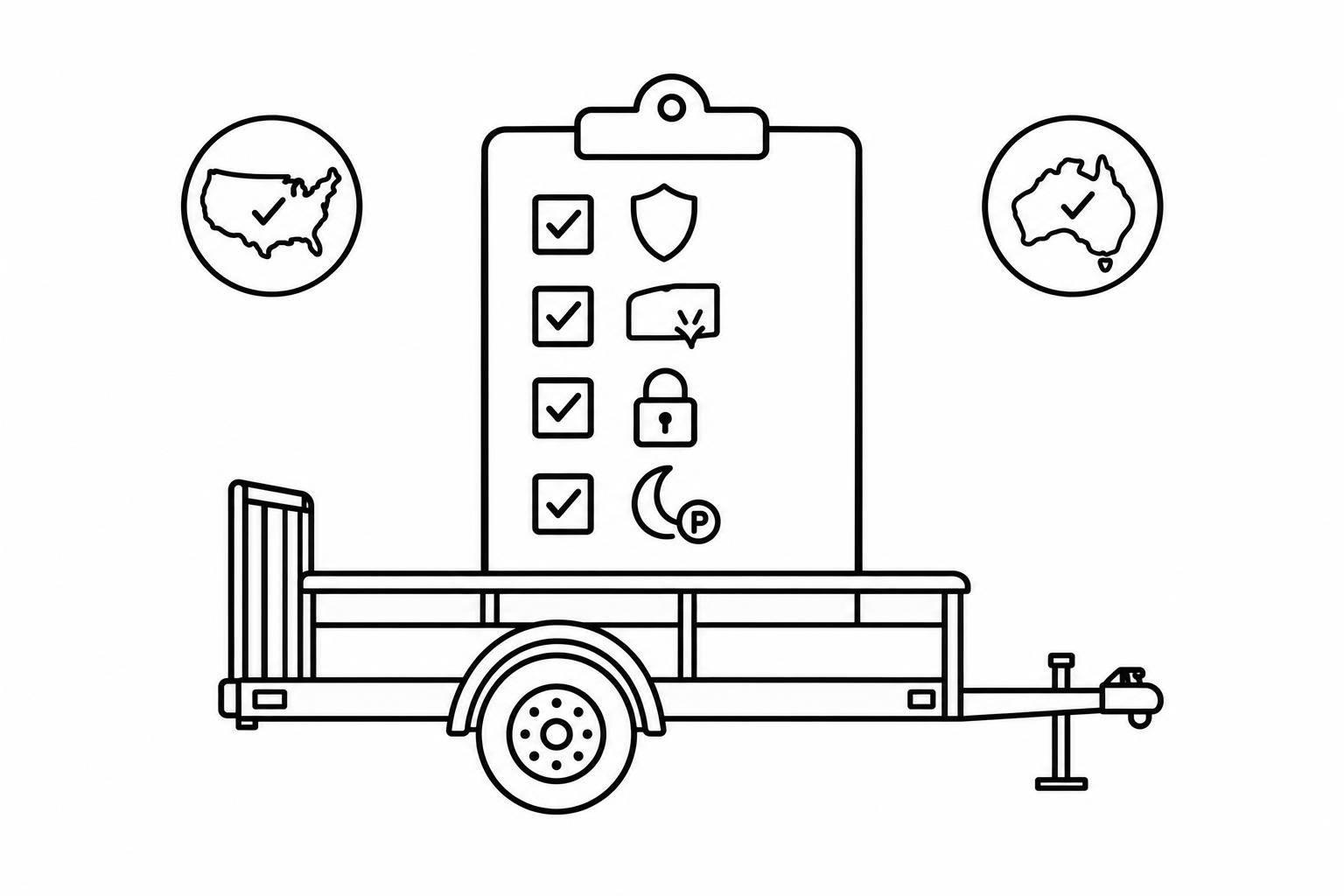
Before I rent out a utility trailer, I get written confirmation that my policy covers commercial rentals - including towing, off-site use, and unattended pickup and return. (Using a contactless rental process planner helps ensure these handovers are documented.) I check liability, damage, and theft separately, including whether theft coverage applies when a renter never returns the trailer.
My insurance review covers 3 areas:
- Coverage: Who is insured, limits, deductibles, exclusions, trailer value, and any required endorsements.
- Rules: Registration, towing, route, and insurance requirements in each U.S. state or Australian state or territory involved.
- Rental records: Insurer-approved renter checks, access controls, pickup and return photos, incident reports, and secure record storage.
_Software such as Lockii can help me keep records; it cannot replace insurer approval._ My rule is simple: <u>check coverage before changing how I rent</u>, and review it again at every renewal.
Insurance Coverage and Policy Terms
General Liability, Towing Liability, and Umbrella Insurance
Liability coverage and physical damage coverage are separate. Check which policy applies and who it covers when a renter tows, parks, stores, or detaches the trailer - including when it’s left unattended. Read the policy’s definition of _insured_ to see whether renters qualify.
For umbrella insurance, check the required underlying policies, rental exclusions, and limits. Don’t assume it covers every liability claim. Use these terms to verify coverage at every rental handoff.
Trailer Damage, Theft, and Off-Site Protection
Check how each trailer is covered during pickup, transit, storage, off-site parking, and after-hours returns. Does theft coverage include non-return by a renter? Review exclusions, security conditions, deductibles, depreciation, and the value paid for a total loss.
If you offer a damage waiver, review its terms separately. Don’t call it insurance unless you’ve verified that description.
Compare Policies and Confirm Coverage in Writing
Compare your current policy with each quote. For every item below, record the exact policy wording and the policy page or endorsement number - or mark it “excluded”:
- Rental permission, insured parties, and authorized users
- Liability limits and underlying coverage
- Trailer damage and valuation
- Theft and renter non-return
- Deductibles by loss type
- Commercial-use, auto, and rental exclusions
- Customer age, driver, and security requirements
- Off-site and after-hours use
- Unattended pickup and return using self-service rental systems
Resolve any differences by checking your rental agreement against the policy wording. Get written confirmation from the insurer and any needed endorsements for commercial rentals and automated trailer hire handoffs at each rental stage. Then check those terms against the applicable U.S. or Australian rules.
U.S. and Australian Insurance Requirements
U.S. Registration and Interstate Use
Once the policy wording is set, check the trailer’s registration state and route restrictions. Review the route, registration state, and policy terms together to confirm whether the liability and damage coverage applies to the rental.
Check state DMV or DOT registration and road-use rules. Record each trailer’s GVWR, registration state, and route, then verify the rules for every state it will travel through.
If the tow setup exceeds 10,000 lbs GCWR, check Federal Motor Carrier Safety Administration requirements, including whether the rental needs a DOT number or other motor carrier compliance[2]. Then confirm that the policy covers the planned interstate route.
Australian State and Territory Rules
Use the same route-and-policy check in Australia. Confirm registration, roadworthiness, towing, and braking rules with the relevant state or territory authorities for both the fleet’s registration jurisdiction and its intended route.
Ask how compulsory third-party (CTP) coverage applies to trailer-related injuries in that jurisdiction. Don’t assume each trailer has separate CTP coverage. CTP does not cover property damage or theft. Ask the insurer or broker to confirm the tow vehicle policy, commercial hire exclusions, cross-border travel, and unattended hire.
Fleet Details and Storage Locations
Keep the minimum records needed to approve each trailer for a specific location, route, and handoff model:
- VIN, rated weight, empty weight, load capacity, and dimensions
- Hitch, brakes, registration jurisdiction, and storage address
Record U.S. GVWR and weights in pounds and dimensions in feet. Label Australian weights in kilograms and dimensions in meters. List every pickup and storage site, and match each site to the policy’s approved use area.
Use these records to check unattended pickup, return, and storage arrangements before approving unattended pickup or return.
Do Trailers Require Insurance? A Guide to 10 Types and Coverage Option
Insurance Procedures for Unattended Rentals
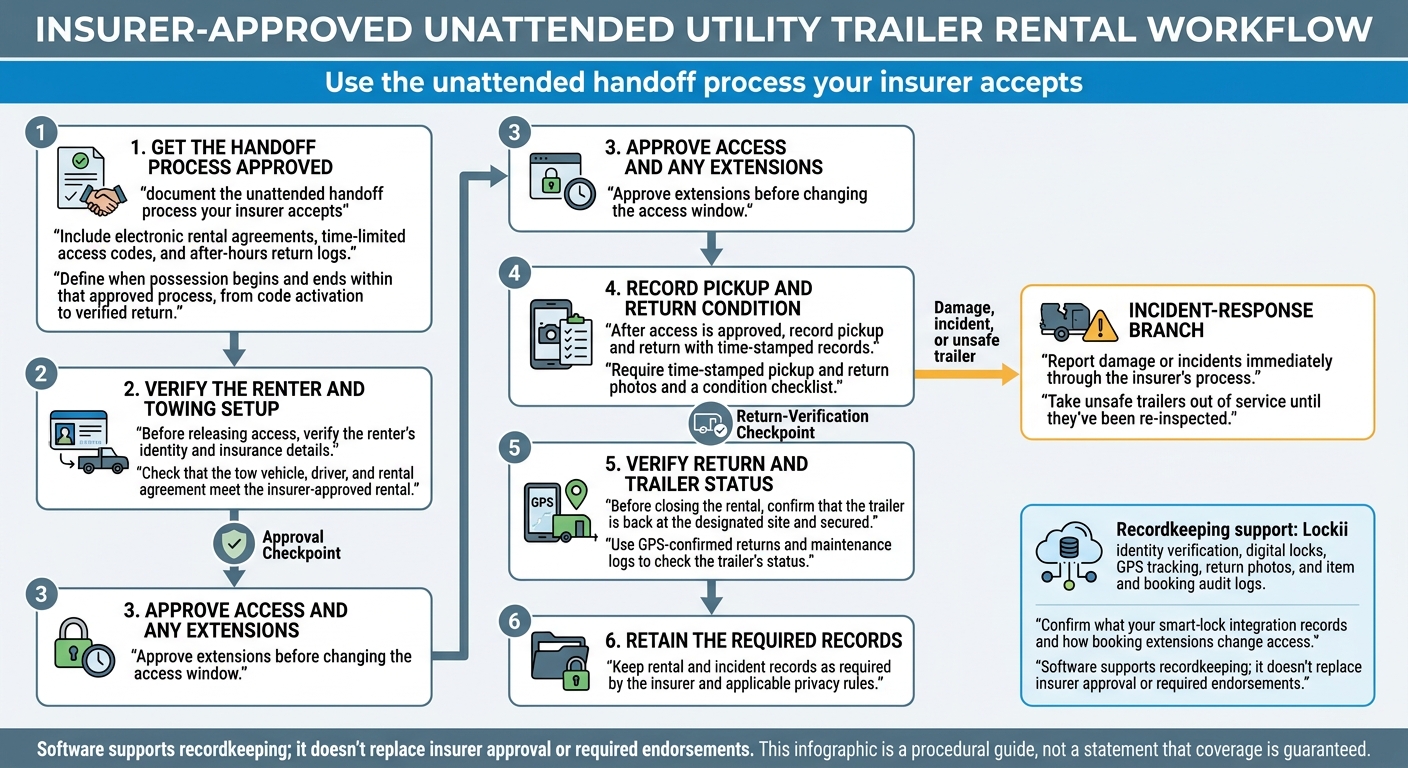
Once coverage terms are set, document the unattended handoff process your insurer accepts. Include electronic rental agreements, time-limited access codes, and after-hours return logs. Define when possession begins and ends within that approved process, from code activation to verified return.[1]
Renter Checks, Tow Vehicles, and Rental Agreements
Before releasing access, verify the renter’s identity and insurance details. Check that the tow vehicle, driver, and rental agreement meet the insurer-approved rental terms. Approve extensions before changing the access window.
After access is approved, record pickup and return with time-stamped records. Before closing the rental, confirm that the trailer is back at the designated site and secured.[1]
Condition Records and Incident Reporting
Require time-stamped pickup and return photos and a condition checklist. Use GPS-confirmed returns and maintenance logs to check the trailer’s status. Take unsafe trailers out of service until they’ve been re-inspected.
Report damage or incidents immediately through the insurer’s process. Keep rental and incident records as required by the insurer and applicable privacy rules.[1]
Rental Records in Lockii
Use Lockii to store the records your insurer requires for identity, access, condition, and return. Its identity verification, digital locks, GPS tracking, return photos, and item and booking audit logs help link handoff evidence to each booking across locations.
Confirm what your smart-lock integration records and how booking extensions change access. Software supports recordkeeping; it doesn’t replace insurer approval or required endorsements.[1]
Conclusion: Insurance Review Checklist
Use each renewal review to check that your policy still fits how you rent out trailers. Review your utility trailer fleet, storage sites, handoff model, permission for commercial rentals, liability and damage terms, limits, deductibles, and exclusions.
Get written confirmation from your insurer that your unattended pickup and return process is covered. At renewal, check applicable U.S. state requirements separately from Australian state and territory requirements[2]. Store the confirmation with your booking records.
Keep policy documents, endorsements, and rental records together. Set a retention schedule that follows local data protection rules and includes deadlines for deleting identity documents[3].
Review coverage at every renewal and before changing how you operate. Check coverage before adding a location, offering a different trailer type, changing access procedures, or accepting a new renter type.