
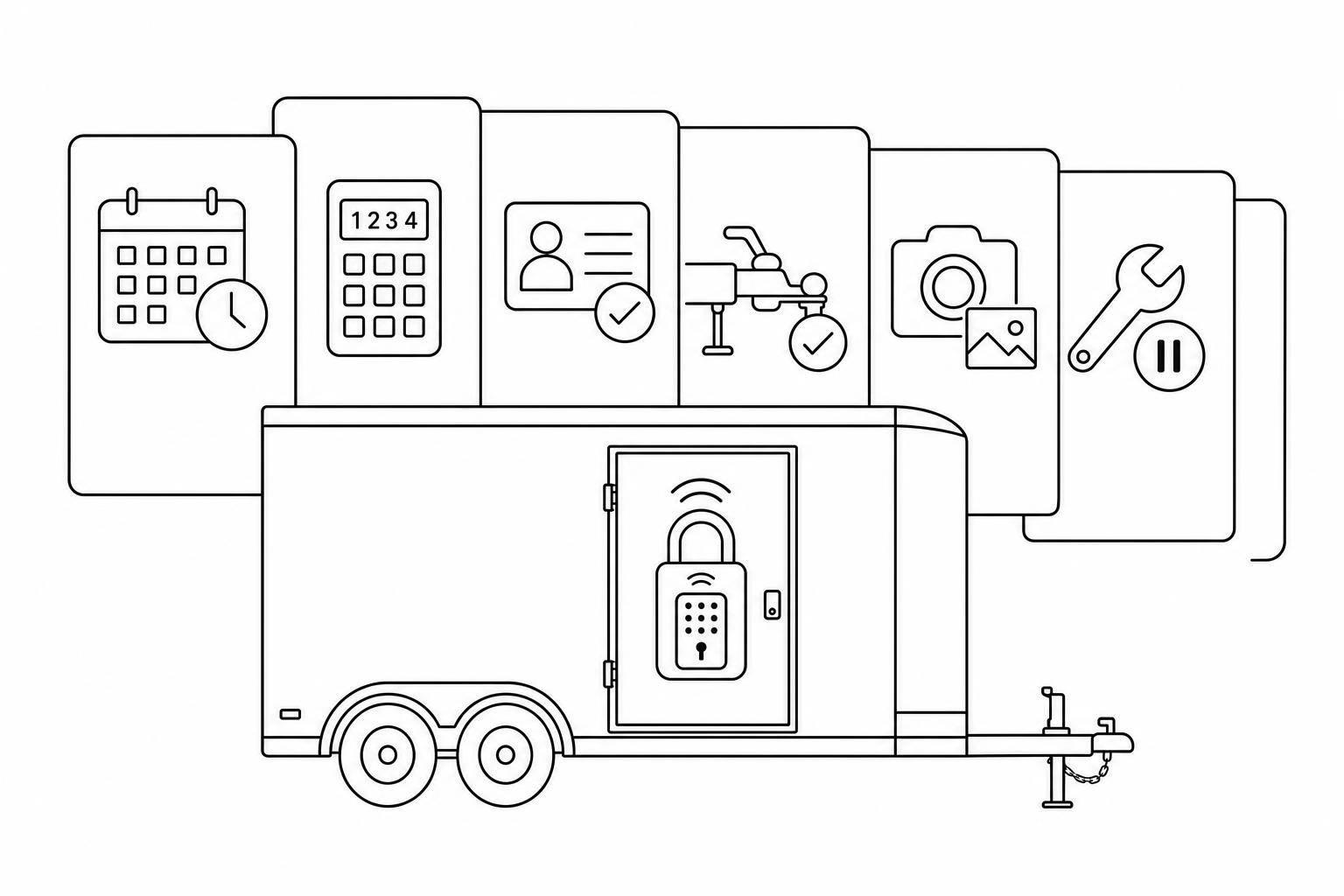
Smart Lock Integration for Trailer Rental Fleets
August 6, 2026 · 12 min read
Smart Lock Integration for Trailer Rental Fleets
If I want trailer rentals to work at _2:00 a.m. on Sunday_ without staff on-site, I need more than a smart lock. I need to automate rental business operations with a booking-driven access process.
Here’s the short version: smart locks help only when they connect to rental timing, ID checks, hitch checks, payments, pickup steps, return records, and maintenance blocks. If I skip those links, I’m just replacing a metal key with a PIN.
In plain terms, this article shows how I would set up a trailer fleet so customers can book online, get a time-limited code, pick up the right trailer, return it with photos, and extend the rental without staff stepping in.
The core points are:
- I set access rules first, before buying any lock
- I map every access point: gate, coupler, storage, and service areas
- I make customer codes work only for the booking window
- I block pickup until license, insurance, hitch fit, brake, and light checks are done
- I use outdoor hardware that still works if Wi-Fi drops
- I connect each lock to the right trailer and booking record
- I standardize returns with photos, issue logging, and maintenance holds
- I use one process across single-yard and multi-yard fleets
A few numbers make the point clear:
- A yard can move to 24/7 pickup and return
- A booking code can be tied to one trailer, one renter, and one time window
- A return should include photos from all sides of the trailer
- A process that works across 2 or more locations cuts mix-ups and staff handoffs
Quick comparison
| Area | What matters most |
|---|---|
| Access control | Codes start at pickup and end after return |
| Safety | No code until checks are done |
| Hardware | Outdoor-rated locks, battery power, offline PIN use |
| Software | Booking, payment, ID check, messaging, and lock access in one flow |
| Returns | Photos, issue reports, and auto-blocks for service |
| Scale | One yard can use gates; many sites lean more on trailer-level locks and GPS |
My takeaway: this is not a lock install project. It’s a rental workflow project. Once I treat it that way, I can cut staff handoffs, lower admin work, and make pickups and returns more consistent across every site.
sbb-itb-eb44693
1. Define access rules before installing any smart locks
Before you automate trailer hire with smart locks, start with the access rules. Map every access point first, then pick the hardware and software that fit those rules.
Map customer, staff, and maintenance access points
A typical trailer rental yard usually has four access points: the yard gate, individual trailer couplers, accessory storage like chains, straps, and toolboxes, and maintenance-only zones.
Each one serves a different person for a different job. Customers need gate entry and coupler access only during their rental window. Staff need broad access across all points, including trailers marked for repair. Maintenance access should stay limited to the trailers or service areas being worked on, and only during the service window tied to that work.
If customers or maintenance crews get the wrong level of access, you create security and liability risk. That’s where problems start.
These access points show who can reach each part of the yard. Once you’ve mapped them, connect each one to a booking window.
Set booking-based access windows and code rules
Set one clear rule: customer PIN codes activate at the start of a booking and expire shortly after the scheduled return time.
Open access shortly before pickup. Close it shortly after the return deadline. Keep staff codes separate from customer booking codes. That separation matters because staff need a different level of control than renters do.
If a customer extends a rental online, the system should automatically push the new expiration time to the lock—a key efficiency when starting an automated trailer rental business. That cuts admin work on every extension.
Lockii generates unique PINs per booking and updates them automatically when a customer extends online.
Define safety and liability checks for U.S. trailer operations
Don’t release the pickup code until the customer clears the digital checks. At a minimum, that means driver's license verification, hitch compatibility confirmation, and brake and light check completed digitally before the PIN goes out.
Trailers that are overdue for safety inspections should be blocked from new bookings automatically. Access should stay limited to staff only until the inspection is cleared.
| Verification Stage | Required Action | Purpose |
|---|---|---|
| Pre-access | Driver's license & insurance upload | Identity |
| Hitch check | Tow-vehicle and hitch match | Tow fit |
| At trailer | Brake & light confirmation checklist | Road safety |
| Maintenance block | Overdue inspection block | Booking block |
With these rules in place, you can move on to hardware that can enforce them at gates, couplers, and storage points.
2. Choose smart lock hardware that fits trailers and yard gates
Once your access rules are in place, the next step is picking hardware that can handle an outdoor trailer yard and constant turnover without turning every pickup into a staff handoff.
Match lock types to gates, couplers, and storage points
Different access points need different lock types. The setup should match how people enter, what they need to open, and how fast the handoff needs to happen.
- Use a smart padlock for couplers and chains, so customers can unlock the coupler with a PIN code.
- Use a keybox for physical keys stored inside a locked compartment.
- Use a gate lock to control yard entry for 24/7 access.
Once you’ve matched the lock type to each access point, look at whether the hardware can stand up to daily use outside.
Check weather, battery, and connectivity requirements
Pick outdoor-rated hardware made for rain, dust, heat, and frequent use. For trailer fleets, battery-powered locks matter a lot because they keep working during power outages. And offline PIN access keeps pickup moving when Wi-Fi is weak or unavailable [2].
That point is easy to miss, but it matters. If a customer shows up and the network drops, the lock still needs to open. No one wants a 10:30 p.m. pickup blocked by a bad signal.
Plan lock placement so it does not slow down operations
Placement matters just as much as the lock itself. A lock in the wrong spot can bottleneck pickup at the gate and chip away at staff-free operation. Each access point should be easy to reach and clearly marked.
It also helps to add QR codes or NFC tags on each trailer to speed up walk-up booking. That way, customers aren’t guessing which trailer is theirs or hunting around the yard.
Next, connect the hardware to booking software so access codes follow each reservation automatically.
3. Connect smart locks to booking software and automate pickup
A smart lock only does part of the job. The real win comes when your booking software controls access - who gets in, when they get in, and which trailer they can open. If that link isn't in place, you're still sending codes by hand, chasing payments, and crossing your fingers that the customer ends up at the right trailer.
Tow-vehicle and hitch checks need to sit in that same flow. Access should open only after every required check passes.
Link each trailer and gate to the correct booking workflow
Start by tying each lock to one trailer or one gate inside your rental system. When a customer books, the system should trigger the right lock on its own.
Keep the trailer unit number, name, and photo aligned across your yard and your software. If those labels are off, even by a little, people will wander around looking for the right trailer or call because they can't find it.
Use Lockii to automate codes, payments, and customer messages
Lockii connects booking, payment, identity verification, and igloohome smart lock access in one workflow. It issues time-bound PINs, sends SMS and email instructions, and logs each access event.
Set the pickup sequence from booking to lock access
Once the lock is tied to the booking record, the pickup flow should follow a fixed order.
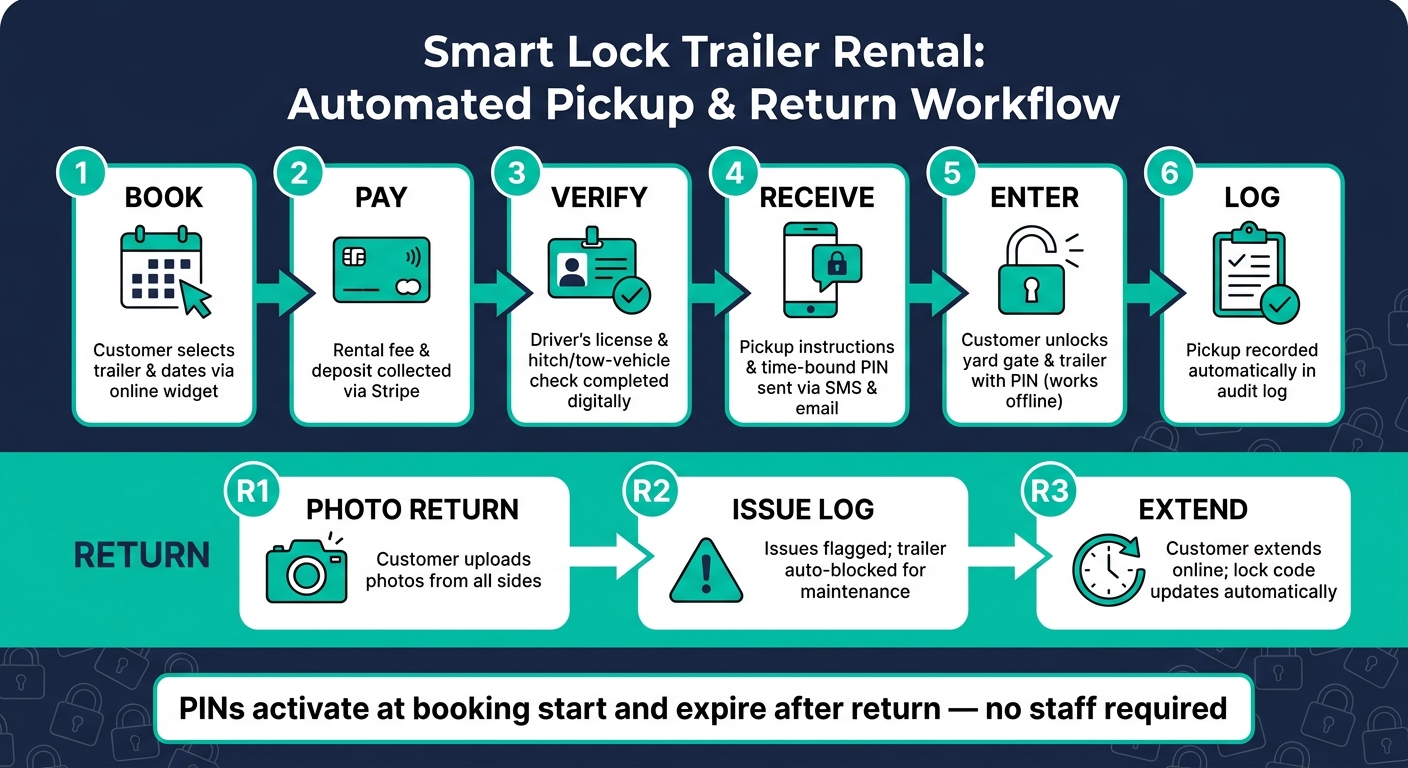
| Stage | What Happens | How It's Handled |
|---|---|---|
| Book | Customer selects trailer and dates in the booking widget | Embeddable website widget |
| Pay | Rental fee and deposit collected | Stripe payment processing |
| Verify | Driver's license and tow-vehicle/hitch check completed | Automated identity verification |
| Receive | Pickup instructions and PIN code sent | Automated SMS and email |
| Enter | Customer unlocks yard gate and trailer | Time-bound igloohome PIN |
| Log | Pickup recorded automatically | Audit log |
PINs should work only during the booking window. When the rental ends, access is revoked on its own. If pickup gets stuck, staff can reissue access or unlock the gate from afar.
That same flow should extend to returns, issue capture, and maintenance triggers.
4. Build a repeatable handover, return, and multi-location process
Once pickup is automated, returns become the next place where things can go wrong. Many operators have questions about self-service rentals when transitioning to these automated workflows. And if one yard follows one set of rules while another does something else, the whole system starts to wobble. The fix is simple: use one repeatable process for every trailer at every yard.
Require tow vehicle checks before releasing a trailer
Only release the pickup code after the tow-vehicle check is finished in the booking flow. Access should stay blocked until every required check passes - no exceptions.
Handle returns with photos, issue logging, and maintenance triggers
Each return should include photos from all sides, confirmation that the lock is closed and secured, and a clear path for sending any issue to the maintenance queue.
If an issue is reported, Lockii automatically blocks that trailer from future bookings and adds it to the maintenance queue. Return photos and issue reports stay attached to the booking record, so damage can be tied back to the right rental.
Apply the same rules across multiple yards
Use the same identity checks, return steps, and access rules at every site from one dashboard. Lockii applies the same verification requirements, safety check quizzes, message templates, and access rules across all locations automatically. That gives operators a single view of bookings, trailer statuses, and site activity without logging into separate systems. [1][2]
Once those rules are standardized, the main difference between sites is scale, not workflow. That makes single-yard and multi-yard setups much easier to compare.
5. Compare smart lock workflows for single-yard and multi-yard fleets
The rules stay the same. The day-to-day model does not.
At a single yard, a team can usually manage pickups with one gate lock and a few trailer locks. It’s pretty simple: people are on-site, customers come to one place, and staff can step in when needed.
A multi-yard fleet is a different beast. If units are spread across several locations, nobody can be in all those places at once. That’s when the workflow needs to do the heavy lifting on its own.
Single-yard setup vs. multi-yard setup
This is where single-yard and multi-yard operations split most clearly.
| Setup Area | Single-Yard | Multi-Yard |
|---|---|---|
| Scale | All units in one fenced location | Units placed at parking lots or other sites across a service area; breaks the yard capacity limit |
| Access Control | Main gate lock plus individual trailer locks | Individual trailer locks only; relies on GPS-based location tracking |
| Staffing | Staff may be on-site for maintenance | Staff-free; staff visit only for scheduled maintenance and repairs |
| Customer Pickup | Customer travels to a central hub | Customer picks up at the nearest location |
In a single-yard setup, the fenced lot does a lot of the work. There’s one main access point, and staff can keep an eye on the fleet without much trouble.
In a multi-yard setup, that central control disappears. Units may sit in parking lots or other sites across a service area, which lets operators move past the limits of one yard. The tradeoff is simple: you rely less on gates and more on individual trailer locks and GPS tracking for multi-location rentals.
Manual handover vs. staff-free handover
Pickup and return are usually where the gap shows up first.
With manual handovers, each rental depends on staff time. Someone has to answer the phone or email, check a license in person, meet the customer, unlock the trailer, and handle the return. It works, but it keeps the whole process tied to a schedule.
With a staff-free model, the booking record drives the handover. The lock opens based on the rental details, not on whether someone is standing there with keys. Once full automation is in place, admin time drops fast.
| Process Step | Manual Handover | Staff-Free Handover |
|---|---|---|
| Booking | Phone or manual email | Online widget or QR code scan |
| ID Verification | Physical license check at counter | Automated digital ID upload |
| Pickup | Staff meets customer to unlock | Time-bound PIN sent to phone |
| Return | Staff inspection on arrival | GPS-confirmed return + customer photos |
| Extensions | Customer calls to request more time | Customer extends and pays online; lock code updates automatically |
The difference is easy to picture. In a manual setup, a late pickup can throw off someone’s whole afternoon. In a staff-free setup, the customer books online, uploads ID, gets a time-bound PIN on their phone, and picks up at the assigned spot. On return, GPS confirms the trailer is back, and the customer uploads photos. If they need more time, they extend online and the lock code updates on its own.
Lockii brings booking, identity checks, GPS tracking, return photos, and self-service extensions into one multi-location workflow.
Conclusion: Build a trailer rental workflow, not just a lock setup
A smart lock on a trailer gate is just hardware until it connects to booking, verification, and return tracking. What matters is how that lock fits into the full rental flow: booking, verification, pickup, return, and maintenance. When smart lock integration is part of that system, you can support 24/7 pickup, tow-vehicle checks, and staff-free handover across every yard.
The best way to build it is in a clear order: access rules, outdoor-rated hardware, automated booking codes, and standardized returns. That sequence turns access control from a simple lock setup into a repeatable rental process.
The result is less admin work and faster, more dependable handover.
Lockii brings booking, PIN delivery, identity checks, GPS tracking, and return documentation into one workflow. The point isn’t the lock by itself. It’s a repeatable scalable rental workflow that can grow across locations.
The aim is simple: a process that works at 2:00 a.m. on Sunday the same way it works on Tuesday afternoon. That’s what makes trailer fleets easier to run, easier to grow, and easier to staff.