
How Smart Locks Enable 24/7 Rentals
June 30, 2026 · 10 min read
How Smart Locks Enable 24/7 Rentals
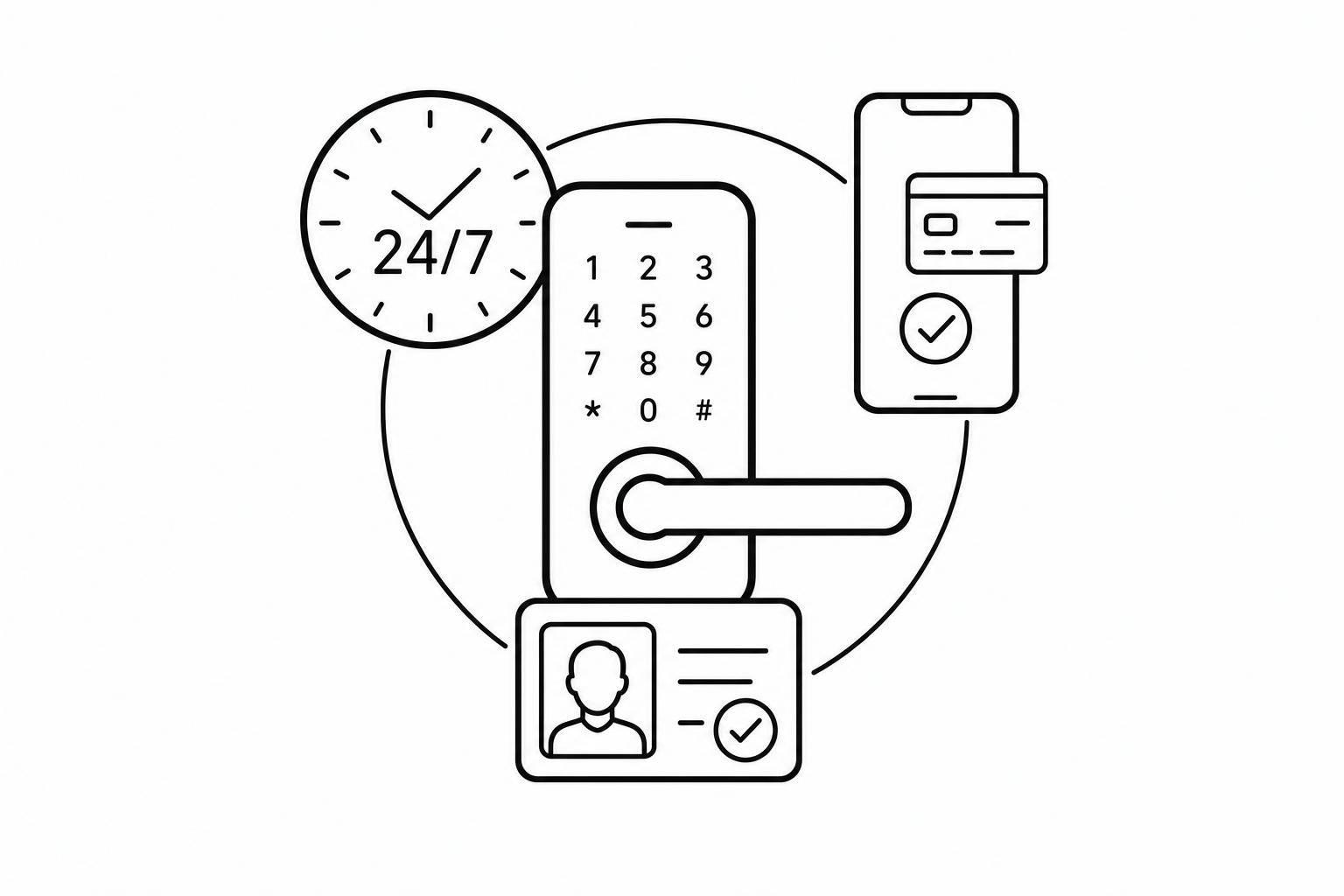
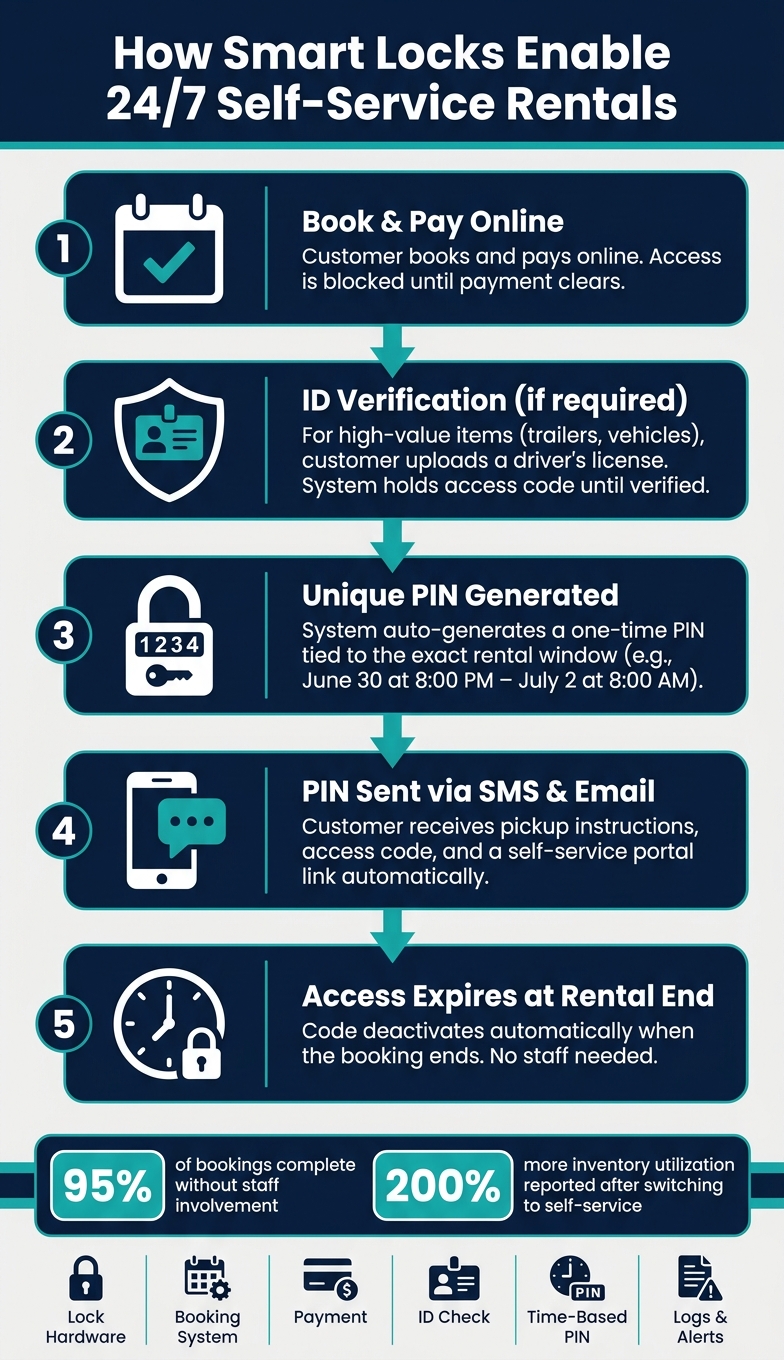
Yes - smart locks can let you run rentals 24/7 without staff on-site. I’d boil it down to this: connect online booking, payment, ID checks, and time-based PIN codes so customers can pick up and return items on their own.
Here’s the core idea in plain English:
- A customer books online and pays
- You can ask for ID before access goes out
- The system sends a one-time PIN by text or email
- The PIN works only during the rental period
- The code shuts off when the booking ends
That setup helps rental businesses stay open after hours, cut staff handoffs, and automate rental business operations to get more use from inventory. In the article, one stat stands out: some businesses report 200% more inventory use after moving from manual handoffs to self-service. Another key number: about 95% of bookings can finish without staff help when the setup is done well.
I’d say the article comes down to five parts:
- Pick the right lock: padlock, keybox, or door lock
- Link booking and payment: send access only after payment clears
- Add ID checks where needed: mostly for trailers, cars, and other high-value items
- Set firm access rules: one PIN per booking, fixed start and end times
- Track issues and fleet status: battery alerts, GPS, photos, and audit logs
If you run trailers, cars, bikes, storage units, or equipment, the point is simple: the lock is only one piece. The full system works when the lock, booking flow, payment step, and customer messages all work together.
| Part | What it does | Why it matters | | --- | --- | --- | | Lock hardware | Secures the item | Fits the item and pickup setup | | Booking system | Takes reservations | Sets the rental window | | Payment | Confirms checkout | Blocks access until paid | | ID check | Screens renters | Adds control for higher-risk items | | Time-based PIN | Grants access | Limits entry to booked times | | Logs and alerts | Tracks events | Helps with support and upkeep |
If I were setting up 24/7 rentals, I’d start with the customer flow first, then choose the lock that fits that flow.
Choose the Right Smart Lock for Your Rental Items
Not every smart lock fits every rental setup. You need to match the lock to the item, the place where it will be mounted, and the way customers will open it for unattended pickup.
The next step is simple: match the lock to the item and the customer access flow.
Check Item Type, Mounting, and Access Method
Start with the item you need to secure. For trailers and couplers, gates, and equipment chains, a smart padlock is often the best fit. Vehicle keys are usually easier to manage with a smart keybox mounted to a fixed wall or post. Storage units, studios, and office spaces may need a smart door lock with a keypad.
Each lock format needs the right mounting setup. Before you order, check whether you have a hasp, a door frame, or a fixed wall.
For the unlock method, PIN codes keep pickup simple because customers do not need an app or a strong signal. That removes a lot of friction at pickup. Once the hardware fits the item, the workflow can move straight into booking-triggered access.
Plan for Connectivity, Battery Life, and Multi-Location Use
Outdoor and remote rental sites often have weak Wi-Fi or no Wi-Fi at all. Offline PIN codes let customers unlock items without Wi-Fi or cellular service. That matters a lot for multi-location self-hire operations, where a failed connection can stop a pickup cold.
Battery life is another spot where operators get tripped up. These locks run on batteries, not hardwired power, so they can keep working during outages. But they still need routine checks. Use lock health alerts to monitor battery status and schedule maintenance before a lock fails during a booking. A centralized dashboard should show lock status across all sites, so you don't have to guess what's happening at each location.
Lock Comparison Table for Common Rental Setups
| Lock Type | Best-Fit Rental Item | Unlock Method | Key Installation Note | | --- | --- | --- | --- | | Smart Padlock | Trailers, gates, equipment chains, storage cages, equipment yards | PIN code | Needs a hasp or chain; size the shackle to fit the gate latch or cage hasp | | Smart Keybox | Vehicle rentals, property access | PIN code | Mount to a fixed wall or post | | Smart Door Lock | Storage units, studios, office spaces | PIN code / App | Requires a standard door frame; check deadbolt compatibility |
Once the hardware fits the item, connect it to booking and payment so access can release automatically.
sbb-itb-eb44693
Connect Booking, Payments, and Lock Access in One Workflow
Once the lock is in place, the next step is to connect booking and payment so access opens only after payment clears.
Automate Code Delivery After Booking and Payment
The flow is simple:
- Booking and payment complete - the customer books online or scans a QR/NFC tag to book on site.
- The system generates a unique PIN for the reservation window - for example, a booking that starts on June 30, 2026, at 8:00 p.m. gets a code that turns on at that exact time.
- Pickup details go out by SMS and email - the code and access steps are sent automatically.
- The code expires at the end of the rental - if the rental ends on July 2, 2026, at 8:00 a.m., the item locks again with no staff help needed.
That setup keeps pickup automatic while limiting access to the booked time slot. Offline smart locks use time-limited PINs, so expired codes do not work [3].
Once code delivery runs on its own, the next question is simple: who should get access at all?
Require ID Checks Before Releasing Access
For higher-value items like trailers or vehicles, ID verification adds another layer before access is sent. The customer uploads a driver’s license or other ID during checkout, and the system holds the access code until that check is done.
Use ID checks for higher-value items such as trailers and vehicles.
How Lockii Supports an Automated Rental Workflow
Lockii brings embeddable booking widgets, Stripe payments, igloohome smart locks, identity verification, and automated SMS and email messaging into one workflow. Once a booking is paid and verified, it creates unique lock codes and sends pickup instructions automatically.
If a customer needs more time, they can extend the rental online, and the access window updates on its own. Lockii works for single-location and multi-location fleets.
With booking and access connected, you can move next to access rules, time limits, and support handling.
Set Access Rules That Keep 24/7 Rentals Secure and Easy to Manage
Once access is automated, the next step is deciding who gets in, when they get in, and what limits apply. That’s what keeps 24/7 smart-lock rentals secure even after the booking system sends out the code, especially after hours when no staff member is on site.
Set Time-Bound Access Rules for Customers and Staff
Give each booking its own time-limited PIN. Don’t reuse a master code, and don’t recycle customer codes. Customer access and staff access should stay separate.
Maintenance crews should have their own scheduled codes and their own logs, separate from rental activity. That way, if something goes wrong, you can see exactly who opened the lock and when.
For early arrivals, set the PIN to turn on at the exact booking start time. Then send a pre-arrival message that confirms when access begins. For late returns, schedule an automated SMS reminder 30–60 minutes before the rental ends, with a direct link to extend the booking.
That setup cuts down on support requests before they happen.
Automate Messages, Extensions, and Support Steps
Most self-service rental questions are pretty simple. People either can’t find their code or they forgot when the rental ends.
Three actions handle most of those cases:
- Send pickup instructions by SMS and email
- Include a link to a self-service portal where customers can view their code and booking details in one place
- Schedule a return reminder before the access window closes
If a customer needs more time, they can extend the rental and pay online. After payment, the access window updates on its own.
Lockii supports automated messages, self-service extensions, and a customer portal to keep the operation hands-off after pickup [1].
When messaging and extensions run on their own, the operation stays hands-off after pickup.
Track Risks With Logs and a Mitigation Table
These are the main failure points to log first.
| Operational Risk | Policy Response | Automation Used | Log to Review | | --- | --- | --- | --- | | Code sharing | One time-limited PIN per booking; ID verification for higher-value items | Identity verification at checkout | Lock access log vs. booking schedule | | Early arrival / Unauthorized re-entry | PIN turns on at the exact booking start time; code expires at rental end | Deterministic, time-bound code generation | Failed access attempts log | | Late return | Automated SMS reminder; self-service extension link | Automated return reminders | GPS timestamps and overdue notifications | | Battery failure | Low-battery alert sent to staff before failure | Automated low-battery email | Maintenance service log | | Connectivity loss | Offline-capable locks like igloohome's AlgoPin work without Wi-Fi | Deterministic offline code generation | Lock sync status log | | Item damage disputes | Mandatory return photos and digital checklist | Return photo upload and guided return form | Before/after photo audit log |
Review these logs after overdue returns and reported issues. It’s one of the easiest ways to spot problems early.
Keep Your Fleet Running and Scale Across Locations
Use Tracking, Inspections, and Audit Logs to Cut Downtime
Once access is automated, the next step is making sure every item is ready for the next booking. That uptime is what makes self-service rentals work 24/7.
GPS tracking simplifies multi-location rentals by flagging overdue bookings and unauthorized movement automatically. Return photos and post-rental checklists give you a condition record for each rental. If a customer pushes back on a damage claim, you have a timestamped photo log to check. You can also block items in your scheduling software during repair windows, so they don't get booked while they're out of service. And as your fleet gets bigger, item audit logs become a big deal because they show service history across bookings.
Lockii brings GPS tracking, return photos, return checklists, damage reporting, maintenance logs, and item and booking audit logs into one dashboard.
Measure What Makes 24/7 Rentals Work
Once asset condition is under control, you need to see if the system is scaling the way it should.
Focus on three numbers:
- utilization
- extension rate
- staff intervention rate
In a well-configured system, about 95% of bookings should finish without staff involvement [1]. If you're falling short of that mark on a regular basis, review the workflow and find the step that's failing. Maintenance cost per asset is another number worth watching. Reporting can show which items rack up the highest maintenance costs and which locations have the highest utilization, which helps when you're deciding where to add more inventory or open another site.
Conclusion: Key Steps to Launch 24/7 Rentals With Smart Locks
Launching a 24/7 rental operation comes down to a handful of connected choices: define the self-service flow, choose the right lock hardware for your item type, connect bookings and payments to automated access, set clear time-based rules for customers and staff, and keep the fleet in shape with logs and scheduled maintenance blocks.
Each part supports the next. The lock controls physical access, but the software around it - booking automation, identity verification, GPS alerts, and audit logs - is what keeps the whole operation reliable as you grow.
"Lockii gave me the ability to work on my business instead of being stuck in it. My customers have shared how easy it is to use, and I will keep expanding now that I have Lockii." - Troy Hunt, Founder, Croc Hire [2]
If you want to run contactless rentals across multiple locations with little staff involvement, Lockii is built for that setup. It supports the workflow from booking widgets and identity checks to return photos and audit logs.