
Cybersecurity Standards for Equipment Rentals
June 27, 2026 · 11 min read
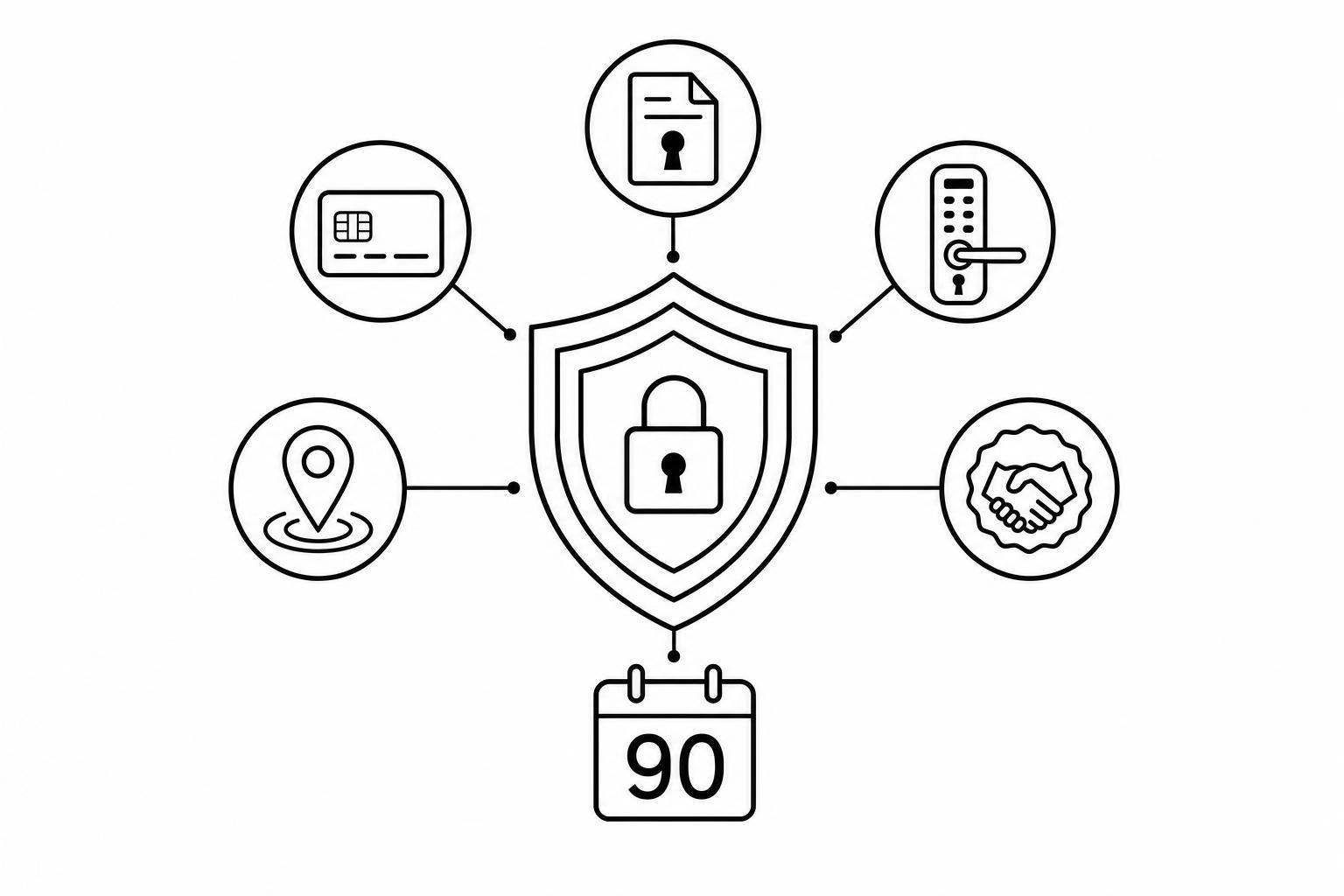
Cybersecurity Standards for Equipment Rentals
If you rent equipment with online booking, smart locks, GPS, or self-check-in, you need a basic security plan now. In 2024, the average data breach cost hit $4.8 million, and the U.S. equipment rental market reached about $74 billion. That means even a small security failure can disrupt bookings, payments, and item access fast.
I’d boil the article down to this:
- Use [NIST CSF](https://www.nist.gov/cyberframework) 2.0 first as the base for risk, devices, staff access, logging, and incident handling
- Cover [PCI DSS](https://www.pcisecuritystandards.org/standards/pci-dss/) early if you take card payments online, by phone, or at kiosks
- Check privacy rules like [CCPA](https://oag.ca.gov/privacy/ccpa) and [GDPR](https://en.wikipedia.org/wiki/General_Data_Protection_Regulation) based on where your customers live
- Review vendors hard before you trust booking tools, lock systems, GPS providers, or ID checks
- Protect connected gear like smart locks and trackers with MFA, encryption, patching, and tight user roles
- Keep logs for lock events, GPS movement, bookings, payments, and damage records
- Build a 90-day plan so you can fix the biggest gaps first
Here’s the simple takeaway: _this is not just an IT issue_. In equipment rentals, a stolen login or leaked access code can become a payment problem, a privacy problem, and a physical access problem at the same time.
A short way to think about it:
| Area | What I’d focus on first | | --- | --- | | Security base | NIST CSF 2.0 | | Card payments | PCI DSS v4.0.1 and tokenization | | Privacy | CCPA and GDPR when they apply | | Vendors | SOC 2 Type II and ISO/IEC 27001 checks | | Devices | Smart lock credentials, MFA, firmware updates, RBAC | | Monitoring | Central logs, lock alerts, geofence alerts | | First 90 days | Inventory, harden systems, assign owners |
The article’s main point is simple: modern rental businesses should treat cybersecurity like part of daily business, not a side task.
Cybersecurity Compliance: More Than Just a Checkbox – Here’s Why It Matters | CyberSecurityTV
sbb-itb-eb44693
Use NIST Cybersecurity Framework as Your Security Baseline
Use NIST CSF 2.0 as your baseline. Its six functions - Govern, Identify, Protect, Detect, Respond, and Recover - line up well with equipment rental businesses that depend on digital locks, GPS, and automated booking. For equipment rental operators, the upside is simple: NIST CSF turns bookings, access, and vendor risk into a security checklist you can actually use.
Identify Your Assets, Data Flows, and Third-Party Vendors
Start by listing every asset that touches customer data or controls access to equipment - trailers, smart locks, GPS devices, booking software, payment processors, and identity verification tools [2][3]. Third-party vendors belong on that list too. Lock hardware makers, GPS providers, cloud platforms, and payment services can all introduce supply chain risk [4].
That inventory is the starting point for payment security, privacy controls, and access monitoring.
Protect and Detect Across Bookings, Payments, and Access Control
For rental operations, a few controls do a lot of the heavy lifting: MFA on all staff accounts, role-based permissions, encryption for data in transit and at rest, and up-to-date firmware on smart locks and wireless gateways [2][4]. A lot of small operators lock things down but stop there. That’s where trouble can slip in.
Set alerts for unusual lock access times, GPS movement outside expected zones, and odd booking patterns. It also helps to use centralized logging across your booking system, access hardware, and payment platform [4].
Respond and Recover When Incidents Affect Data and Physical Assets
Equipment rentals deal with a double risk. A problem in a digital system can also block pickups, returns, and access to equipment. Your incident response plan should cover compromised staff accounts, stolen access codes, tampered GPS devices, and payment data exposure [2][4].
Recovery means getting bookings, access, and equipment status back in working order. It also means checking equipment status before you reopen bookings [2].
Once NIST sets the baseline, you can add payment and privacy requirements on top.
Core Compliance Requirements: PCI DSS, SOC 2, CCPA, and GDPR
These standards fit into two buckets: rules you may have to follow by law or contract, and tools you use to check whether partners are safe to work with. NIST sets the baseline. PCI, privacy laws, and vendor checks sit on top of that as your compliance layer.
| Standard | Legal Status for U.S. Rental Operators | Primary Focus | | --- | --- | --- | | PCI DSS | Required by card networks and processors | Credit card data security and fraud prevention | | CCPA | Mandatory when CCPA applies | Privacy rights for California residents | | GDPR | Mandatory when GDPR applies | Data protection and privacy for EU customers | | SOC 2 | Vendor-assurance tool | Evaluating cloud service provider security controls |
PCI DSS for Online Payments, Card Payments Taken by Phone, and Self-Service Kiosks
PCI DSS applies any time your process accepts, processes, stores, or transmits card data. That includes online bookings, card payments taken by phone, and self-service kiosks. The current active version is PCI DSS v4.0.1 [5].
A simple way to cut risk is to use tokenization. Instead of handling raw card numbers, your system works with PCI-compliant tokens from a PCI-compliant payment gateway. For self-service kiosks, use role-based access so staff only get the permissions they need. That helps limit exposure and can shrink your PCI scope.
SOC 2 for Evaluating Cloud Rental Software and Service Providers
For rental platforms, vendor security matters just as much as your own setup. If your booking system, access control platform, or GPS provider has weak controls, that problem can become your problem fast.
Use SOC 2 to screen cloud vendors. Ask for a SOC 2 Type II report, not just a Type I report. Type II shows the controls were tested over a period of time, rather than simply written down. ISO/IEC 27001 can also help as a supporting signal when you review a provider.
CCPA and GDPR for Privacy, Data Retention, and Customer Rights
If your rental business serves California residents, CCPA applies. If you serve customers in the European Union, GDPR applies.
In practice, that means keeping your data habits tight and simple:
- Collect only the data you need
- Encrypt ID scans and GPS records
- Restrict access to sensitive data
- Delete records on schedule after the required retention period ends
This affects core parts of your operation, including booking forms, ID verification photos, GPS tracking data, and customer support logs.
These rules cover how data gets collected and stored; the next step is locking down the devices that create and use it.
Secure Smart Locks, GPS Trackers, and Self-Service Rental Infrastructure
Data controls are only half the job. Smart locks, GPS trackers, and kiosks need device-level protection too. Once your data is safe, the next step is locking down the tools that grant access, track assets, and power self-service pickup.
Hardening Digital Locks and Wireless Access Systems
Every digital lock in your fleet should have its own credentials, MFA, automatic updates, and RBAC.
Start with unique credentials for every lock. Don't reuse admin passwords across devices. If one lock gets exposed, you don't want the rest of the fleet to fall like dominoes.
Staff who use lock management tools should also sign in with multi-factor authentication (MFA). Turn on automatic firmware and OS updates so devices don't sit on old software. And when a rental ends, revoke the customer's access code right away.
Use role-based access control (RBAC) to keep permissions tight. Only the right people should be able to issue new codes, change lock settings, or review access history. A customer service rep doesn't need the same level of access as a fleet manager.
Lockii's IglooHome integration links lock-code activity to bookings, which cuts manual work and reduces audit gaps.
Using Logs and Alerts to Track Access, Movement, and Misuse
Once the devices are hardened, keep watching them. In unattended rentals, logs are often the only record of who accessed what, when something moved, or where things started to go wrong.
The most useful logs for equipment rentals include:
- code issuance
- lock events
- GPS alerts
- damage reports
- maintenance actions
Each one creates a traceable record that can support insurance claims, dispute handling, and internal reviews.
Geofence alerts are especially useful. If a piece of equipment leaves a set area during an active rental, the alert should fire at once. GPS pings should be encrypted in transit with TLS and stored at rest with AES-256 encryption [1].
Lockii's Item Audit Logs and Booking Audit Logs record this type of event-level detail out of the box, including GPS tracker alerts, hire end photos, and maintenance log entries, all tied to specific bookings and items. That kind of traceability matters when a customer disputes damage or a piece of equipment disappears.
Reviewing Hardware and Software Vendors Before Rollout
Device security depends in part on vendor controls. Weak APIs and poor update policies can open the same kind of exposure as weak passwords. Put simply, a weak vendor can expose the same rental assets as a weak lock.
Look closely at how integrations are built. APIs that connect your booking system to smart locks, payment tools, and identity verification services should use strong authentication, token rotation, and rate limiting. If the API link between your booking platform and lock system is unsecured, that's a direct path into both systems.
Before rolling out connected hardware or software, check a few basics:
- Do they provide ISO/IEC 27001 or SOC 2 reports?
- Do their devices support full-disk encryption such as BitLocker or FileVault?
- Can the hardware be managed through mobile device management (MDM) for remote control and wipe?
- Do they support network isolation or VPNs to keep rental infrastructure off your main business network?
- What is their firmware update policy - are patches automatic, or do they require manual work?
- How fast do they notify you about a breach?
Lockii integrates with IglooHome, Stripe, and Stripe Identity. When you review any vendor, ask exactly how the integration handles authentication and what access it needs. If a GPS provider wants broad access to your booking database, treat that as a rollout blocker.
Build a Compliance Roadmap for Growth
Which Standards Are Mandatory, Advisory, or Situational
Once your systems and devices are locked down, the next step is figuring out what needs attention first. The simplest way to do that is to sort standards by legal duty and day-to-day risk.
Start with the rules you must meet because the law or your contracts say so. That means PCI DSS if you take card payments, plus GDPR or CCPA when those privacy laws apply. A PCI-compliant gateway and tokenization help keep raw card data off your platform, which cuts risk fast. Then apply the privacy rules based on where your customers are located, including notice, data minimization, retention, and rights handling.
After that, the path becomes more case-by-case.
NIST CSF should be the baseline for all rental operators. It gives you a solid frame for running security across the business. ISO 27001 makes sense if you want a formal information security management system. SOC 2 is mostly used when reviewing cloud and software vendors. And [CMMC](https://en.wikipedia.org/wiki/Cybersecurity_Maturity_Model_Certification) plus [NIST SP 800-171](https://csrc.nist.gov/pubs/sp/800/171/r2/upd1/final) only matter in specific cases, mainly defense or government work.
| Standard | Requirement Type | Who It Applies To | | --- | --- | --- | | PCI DSS | Mandatory (Contractual) | Any business taking card payments | | GDPR / CCPA | Mandatory (Legal) | Based on customer location | | NIST CSF | Recommended Baseline | All rental operators | | ISO 27001 | Recommended | Operators wanting a formal ISMS | | SOC 2 | Contract-Driven | Cloud/software vendor evaluation | | CMMC / NIST SP 800-171 | Situational | Defense or government contracts |
That order gives you a practical way to choose what to put in place first.
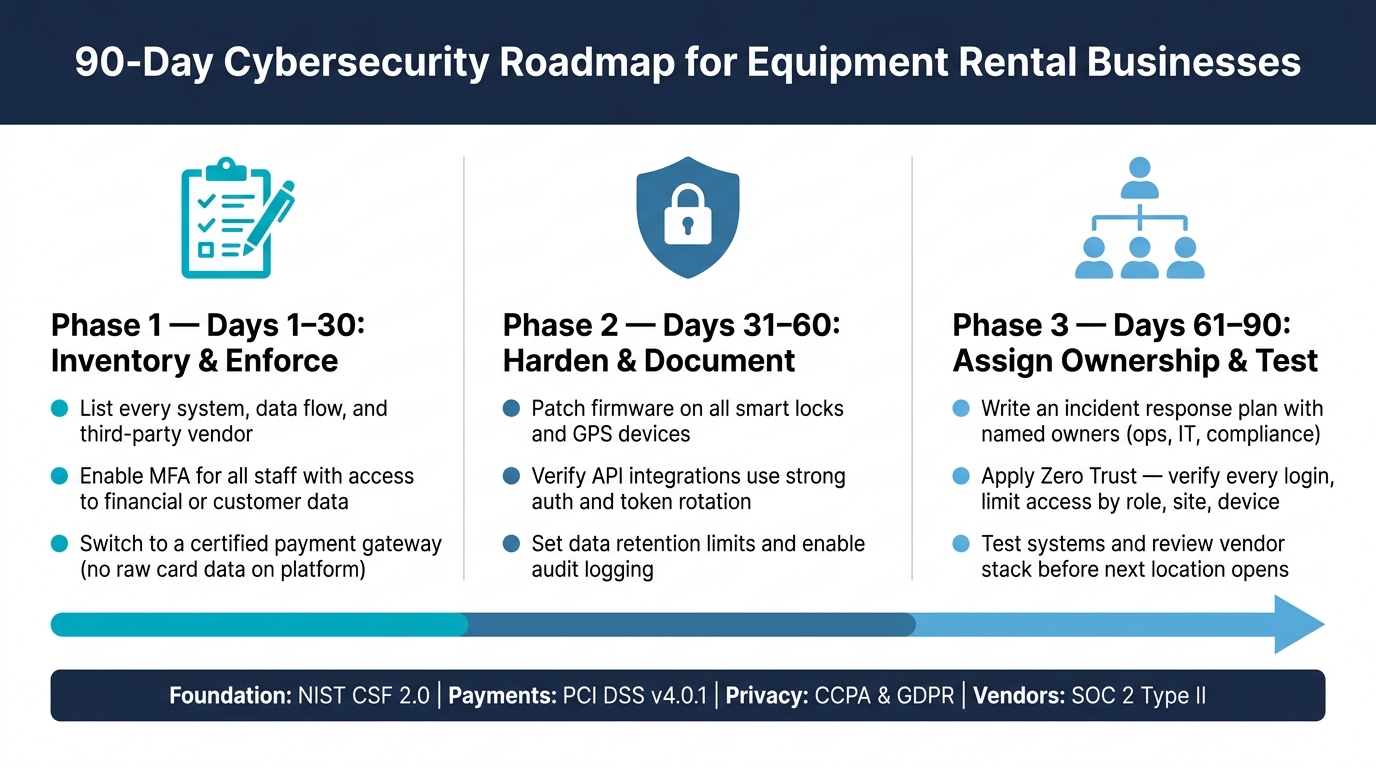
A 90-Day Starting Plan for Equipment Rental Operators
Once you've ranked the baseline standards, turn them into a short plan. The first 90 days should focus on the gaps most likely to hurt you first.
- Days 1–30 - Inventory and enforce.
List every system, data flow, and third-party vendor. Turn on MFA for all staff who can access financial data or customer records. Move to a certified payment gateway so raw card data never touches your platform.
- Days 31–60 - Harden and document.
Patch firmware on all smart locks and GPS devices. Check that your integrations use strong API authentication and token rotation. Set data retention limits, and turn on audit logging for bookings, access events, and payment actions.
- Days 61–90 - Assign ownership and test.
Write a basic incident response plan and assign owners across operations, IT, and compliance. Use Zero Trust by verifying every login and limiting access by role, site, and device.
Conclusion: The Minimum Security Standard for Modern Rental Businesses
Modern equipment rental businesses should treat cybersecurity as a core operating requirement. Use NIST CSF as your baseline, handle PCI DSS and privacy duties early, lock down every connected device in your fleet, and make audit logs part of normal daily work from day one.
Self-service and 24/7 contactless rentals make the risk higher, but they also create a usable trail of evidence. Booking logs, access events, GPS alerts, and hire-end photos can show what happened when something goes wrong. That means your job isn't just to collect data. It's to build the setup that stores it, give someone clear ownership, and check your vendor stack before opening the next location.