
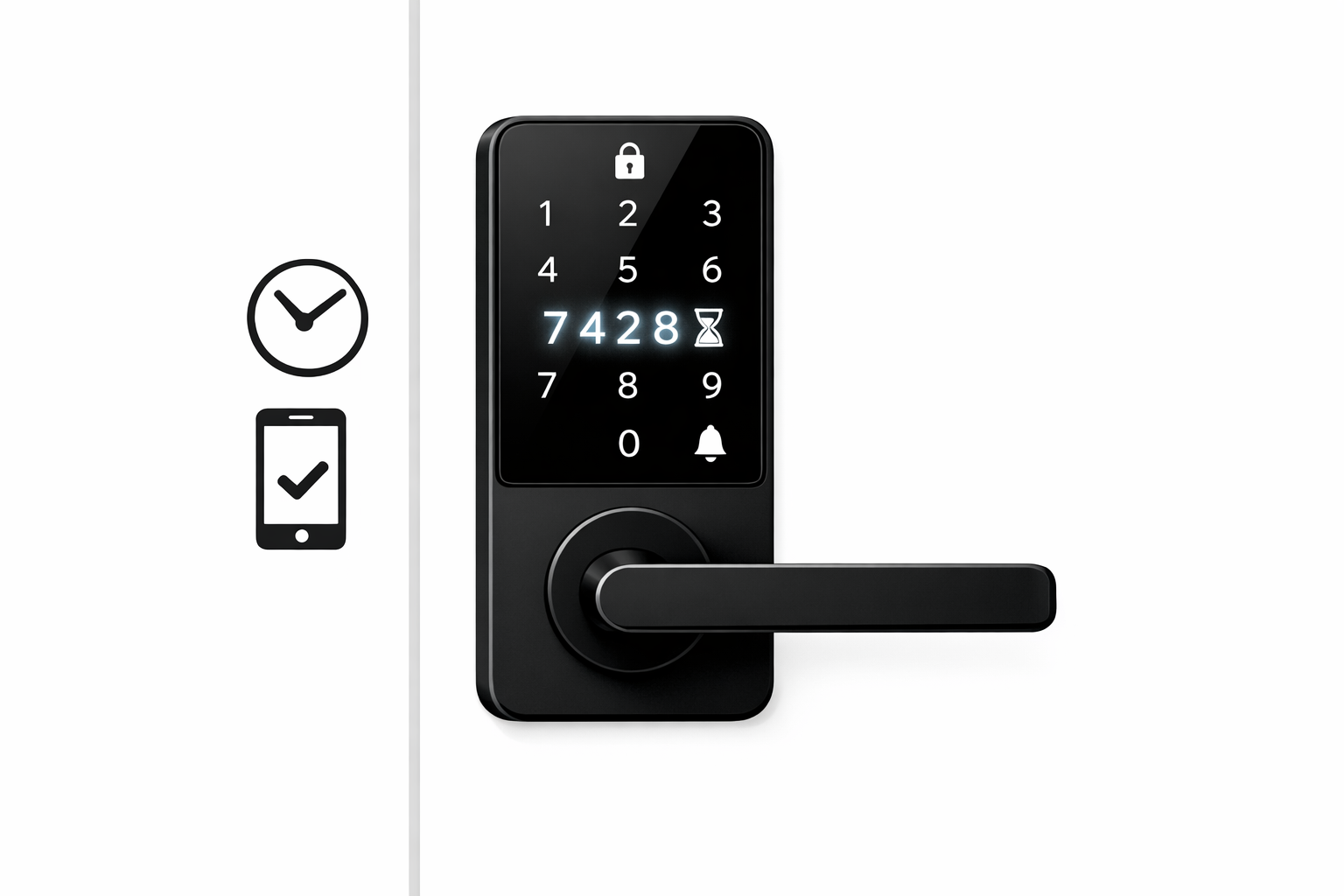
How to automate rental pickups
December 27, 2025 · 12 min read
How to automate rental pickups
Automating rental pickups eliminates the need for on-site staff, allowing customers to access rentals 24/7 with secure digital tools. Here's how it works:
- Online Booking: Customers reserve items and pay online.
- Identity Verification: IDs are verified digitally during booking.
- Digital Access: Unique PIN codes grant access to rentals during the booking period.
- Real-Time Logs: Every access is tracked for security.
- Cost Savings: Reduced staff involvement lowers labor costs.
With systems like Lockii, you can set up automated pickups by installing digital locks, integrating payment and booking tools, and configuring notifications. The upfront cost ranges from $243 to $1,150 per item, with a $12 monthly subscription per lock. Businesses save time and money, recovering setup costs in under four months while offering customers greater flexibility and convenience.
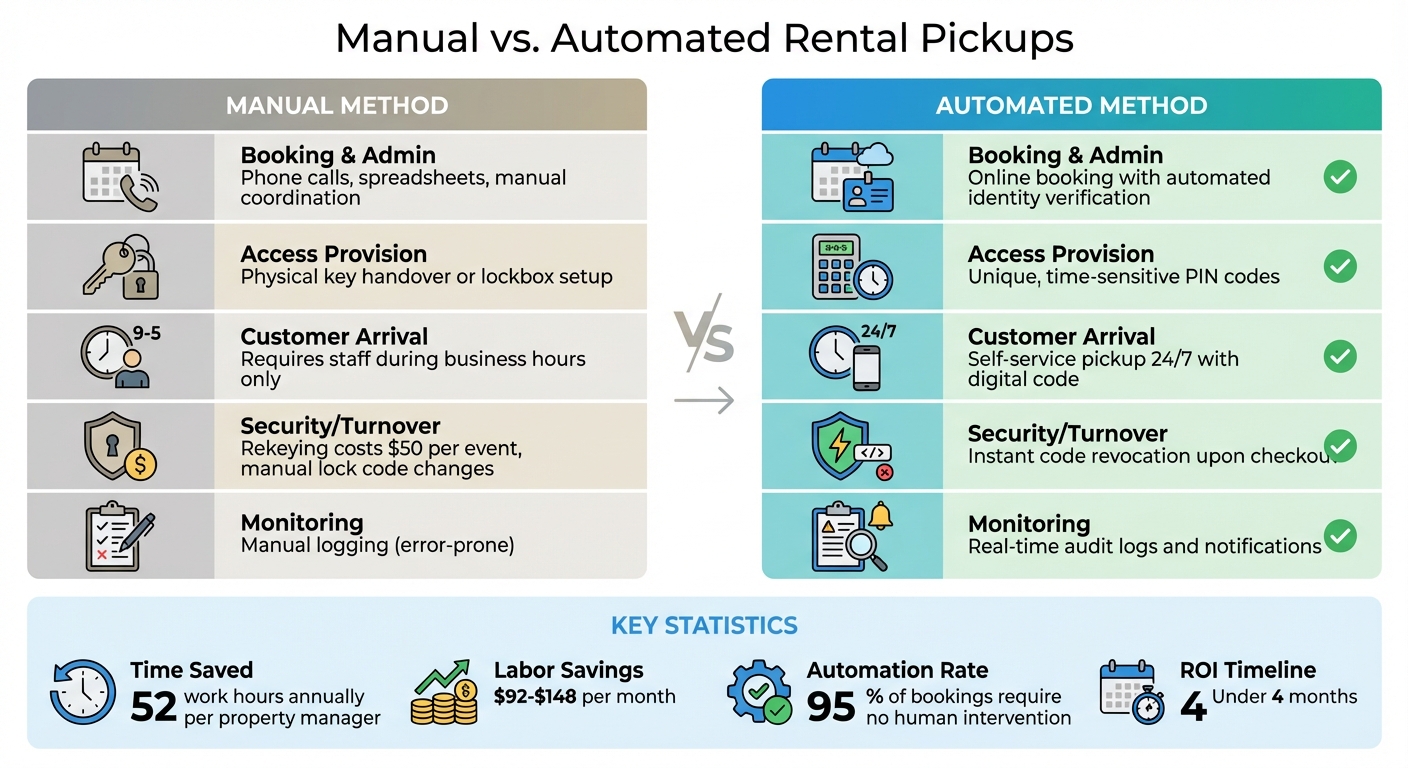
Manual vs. Automated Rental Pickups
How Manual Pickups Work
The traditional rental pickup process relies heavily on on-site staff. They’re responsible for verifying IDs, handling paperwork, and managing key handoffs - tasks that tie operations to specific business hours. Bookings are coordinated through phone calls or walk-ins, with details manually entered into spreadsheets, and physical waivers handled on-site. This means someone always needs to be available, making it impossible for customers to pick up a trailer at 9 PM or drop off equipment early on a Sunday morning.
Security is another headache. Physical keys can be duplicated without permission, and lockboxes require manual code changes between users. If a key goes missing, you’re looking at $50 per rekeying event and possibly a locksmith visit [6]. Without an automated system, there’s no reliable way to track who accessed what and when, unless staff manually log every interaction - a tedious and error-prone process.
How Automated Pickups Work
Automated pickups flip the script, streamlining every step of the process by automating rental business operations. Customers can book online through your website or by scanning a QR code, completing payment and identity verification without needing to interact with staff. Once the booking is confirmed, the system assigns inventory and sends a unique, time-sensitive PIN code via SMS or email.
When it’s time to pick up the rental, customers simply enter their digital code, giving them 24/7 access. Staff presence isn’t needed, and access codes automatically expire when the rental period ends - no need for rekeying or lock replacements. Every entry is logged in real-time, providing a complete audit trail. If a customer needs to extend their booking, the system updates their access code duration instantly through a self-service portal.
Side-by-Side Comparison
Here’s a breakdown of how manual and automated rental pickups stack up:
| Process Step | Manual Method | Automated Method (with Lockii) | Benefits |
|---|---|---|---|
| Booking & Admin | Phone calls, spreadsheets, manual coordination | Online booking with automated identity verification | Saves time and reduces administrative errors |
| Access Provision | Physical key handover or lockbox setup | Unique, time-sensitive PIN codes | Enables 24/7 access without staff |
| Customer Arrival | Requires staff during business hours | Self-service pickup anytime with a digital code | Improves customer flexibility and satisfaction |
| Security/Turnover | Rekeying or lock replacement for lost keys | Instant code revocation upon checkout | Cuts maintenance costs and boosts security |
| Monitoring | Manual logging of entry/exit | Real-time audit logs and notifications | Enhances accountability and tracking |
The difference in efficiency is clear. On average, property managers using smart locks save 52 work hours annually [5]. For rental businesses with frequent turnovers, the time savings are even greater. Automation doesn’t just lower costs - it streamlines operations, making it easier to scale your business.
sbb-itb-eb44693
Cost Analysis of Automation
Setup and Monthly Costs
Automating pickups involves an initial investment in digital locks and a monthly subscription fee. The price of digital lock hardware varies widely, ranging from $100 to $800, depending on the features offered [8][10].
If you’re handy, you can save on labor costs by opting for a DIY installation, which could save $50 to $100 compared to hiring a professional [9][10]. However, professional installation typically costs between $93 and $200 per lock, with an additional service call fee that can range from $50 to $150 [7][10]. Lockii, for example, charges a $12 monthly subscription per locked item, which includes perks like unlimited orders, automated emails, GPS tracking, identity verification, and seamless contactless operation.
| Cost Component | Low Estimate | High Estimate |
|---|---|---|
| Digital Lock Hardware | $100 | $800 |
| Professional Installation (per lock) | $93 | $200 |
| Service Call / Travel Fee | $50 | $150 |
| Total Initial Setup (per item) | $243 | $1,150 |
| Lockii Monthly Subscription | $12/month | $12/month |
Labor Cost Savings
Once the system is set up, automation significantly reduces labor costs. By removing the need for manual tasks like key handoffs, scheduling pickups, or verifying identities, businesses can cut down on staff involvement [1][4]. Traditional key or card systems often require property managers to spend about 15 minutes per user annually handling these tasks [11]. For businesses with frequent turnovers, those minutes quickly add up.
Let’s break it down: locksmith wages typically range from $23 to $37 per hour [10]. If automation saves four hours of staff time each month, that translates to $92 to $148 in labor savings. This alone more than covers the $12 monthly Lockii subscription, making it a cost-effective solution. Moreover, companies using Lockii often manage 10 or more locations without needing additional staff [1][12].
Return on Investment Timeline
The savings from automation lead to a fast return on investment. For example, let’s say you spend $350 on a WiFi-enabled lock and $150 on professional installation, totaling $500 in upfront costs. With a $12 monthly subscription fee and an estimated five hours of staff time saved per month (valued at $30 per hour, or $150 in savings), you’d net $138 in monthly savings after the subscription cost.
At that rate, you’d recoup your initial investment in under four months using a contactless rental ROI calculator. From the fifth month onward, you’d save around $1,656 annually per locked item, making automation a highly efficient and cost-effective choice for businesses.
How to Automate Rental Pickups with Lockii
Lockii simplifies rental pickups with a five-step process that handles about 95% of customer bookings without any human involvement [1][4].
Step 1: Create Your Lockii Account and Link Integrations
Start by signing up for a Lockii account at lockii.app. You can take advantage of a free trial - no credit card needed [12]. Once your account is set up, connect the necessary tools to get started:
- Stripe: For payment processing and identity verification.
- IglooHome: To manage digital locks.
- Zapier: To streamline workflows.
- Messaging Providers: Choose platforms like TextBelt, MessageBird, or Resend to automate SMS and email notifications.
Once your integrations are ready, you can focus on setting up the hardware for secure and efficient pickups.
Step 2: Install Digital Locks
Equip your rental items or storage units with IglooHome digital locks. These locks are easy to install - just replace your existing lock without the need for door modifications [13]. Lockii works seamlessly with IglooHome to manage access. When a customer books, the system generates a unique PIN code valid only for the rental period. This eliminates the hassle of physical keys and allows customers to pick up their rentals anytime, day or night, without requiring staff.
Step 3: Set Up Booking and Payment Systems
Integrate Lockii's booking widgets directly into your website. This keeps customers on your site while they browse availability, select rental periods, and make payments. Stripe handles the payment processing, ensuring funds are collected before access codes are issued. For walk-in customers, you can use QR codes or NFC tags to enable instant bookings.
With booking and payments in place, you’re ready to move to identity verification and customer communication.
Step 4: Configure Identity Verification and Messaging
Add automated identity verification to your booking process. Using Stripe Identity, customers upload their ID during checkout, which is verified before access is granted. You can also set up automated email and SMS notifications to keep customers updated at every step. This includes:
- Booking confirmations.
- Pickup instructions with access codes.
- Reminders during the rental period.
- Return instructions.
To monitor item condition, you can create return forms requiring customers to upload photos of the rental items after use.
Step 5: Enable GPS Tracking and Manage Access Codes
Activate GPS tracking to monitor pickups and returns in real time. Notifications alert you when items are moved or returned, allowing you to quickly update availability for the next customer. Each booking generates a unique PIN code that works only during the rental window. Once the rental period ends, the code expires automatically, and the lock resets for the next user.
As Bodhi Hawken, Lockii's founder, puts it:
"We're solving labor shortages for utility rental businesses... by creating fully contactless software that allows customers to pickup their items 24/7, no staff required" [2].
What the Automated Pickup Process Looks Like
Once Lockii is set up, the rental experience becomes completely hands-free for both you and your customers. Here's how the process works step-by-step:
A customer visits your website, selects their rental item through the booking widget, chooses their rental dates, and completes payment using Stripe. They also verify their identity by uploading their driver's license. The system immediately allocates available stock and sends a confirmation email to the customer.
About 24 hours before the scheduled pickup, the customer receives an automated SMS or email with a unique PIN code and clear instructions on where to find their rental. This PIN is only active during the rental window, adding an extra layer of security. When the customer arrives - whether it’s 2:00 PM or 2:00 AM - they simply enter the PIN on one of the best smart locks for rentals to access their rental.
If the customer needs to extend their rental, it’s just as simple. They can log into the customer portal, pay the additional amount, and extend their booking without any hassle. When it’s time to return the item, the system sends a quick reminder. The customer fills out a short return form on their phone, uploads photos to document the item's condition, and drops it off. GPS tracking instantly notifies you of the return, making the rental available for the next customer.
This automated system not only ensures security but also simplifies operations. In fact, around 95% of bookings require no manual intervention [1]. Everything - from verification to payments, PIN codes, extensions, and returns - is handled automatically. Jason Wolohan, a cabin rental co-host in the Great Smoky Mountains, sums it up perfectly:
"It's a very good feeling of peace of mind knowing that I don't have to dedicate the mental capacity to managing these items daily" [14].
Lockii’s automation integrates seamlessly with its other features, keeping the entire rental process efficient and easy to manage.
Additional Lockii Features for Automated Rentals
Lockii goes beyond basic automation to offer tools that ensure your rental business operates smoothly. From managing maintenance schedules to resolving damage disputes, these features simplify operations and enhance efficiency.
Maintenance and Issue Tracking
Keeping rental equipment in top shape is no small feat, especially when managing multiple locations. This is a key challenge when scaling to new locations. With Lockii, you can block specific items for maintenance, ensuring they’re unavailable for booking during servicing or repairs [1]. This streamlined approach helps you stay ahead of potential issues.
Lockii also makes it easy to catch problems early. When customers return items, they’re prompted to upload photos and complete a return form via their phone. This creates a visual record of each item's condition after every rental [1][3]. If damage or wear is detected, you’ll know right away - and have documented proof to back it up. Automated notifications alert you to return issues, overdue items, or incomplete forms, eliminating the need for constant manual monitoring [3].
Audit Logs and Reports
Transparency is critical, especially when securing contactless rentals at unmanned locations. Lockii’s audit logs provide a detailed history of every item and transaction [1]. You can track who accessed an item, when it was picked up, and when it was returned. Maintenance activities are automatically logged, giving you a full service history for each piece of equipment.
Integrated GPS tracking enhances these logs by recording pickup and return events [1]. Digital lock codes are also timestamped, documenting the exact moment a customer accesses their rental [3]. If disputes arise - whether over damage claims or rental periods - you’ll have solid evidence to settle them. This level of accountability is a big reason why 95% of customer bookings operate without human intervention [1][4].
Customer Self-Service Tools
Lockii’s customer portal makes life easier for both renters and operators. Need to extend a rental? Customers can update their booking online, pay the difference instantly, and receive an updated digital lock code - all without making a phone call or sending an email [1][3]. The system handles everything automatically, from adjusting the rental period to sending a confirmation.
Returning items is just as simple. Renters complete a brief form, upload photos of the item’s condition, and confirm the drop-off through the portal [1]. This self-service process saves time and offers the convenience customers expect, while reducing your workload in the process.
Conclusion
Lockii transforms rental operations by automating the pickup process. With automation, you can lower labor expenses, expand to new locations without hiring additional staff, and meet customer expectations for 24/7 access. The process is straightforward: set up your account, install digital locks, configure booking and payment systems, implement identity verification, enable automated messaging, and activate GPS tracking with time-sensitive access codes. These steps streamline operations, delivering noticeable cost savings and a quick return on investment.
The benefits go beyond just cost reduction. Lockii's system simplifies daily tasks like stock assignment, lock code generation, identity verification, and return documentation. Customers gain instant access with QR codes and can easily extend bookings through self-service options, creating a smooth and hassle-free pickup experience. For businesses managing multiple locations, features like detailed audit logs and maintenance tracking make operations efficient without the heavy overhead of traditional rental models.
Lockii is priced at $12 per month per locked item and includes a free trial with no credit card required [15]. This affordable solution supports businesses of all sizes, whether you're managing automated trailer rentals, equipment leases, or a fleet of bikes and scooters. With automated pickups, you can cut costs, boost customer satisfaction, and scale your operations effortlessly.