
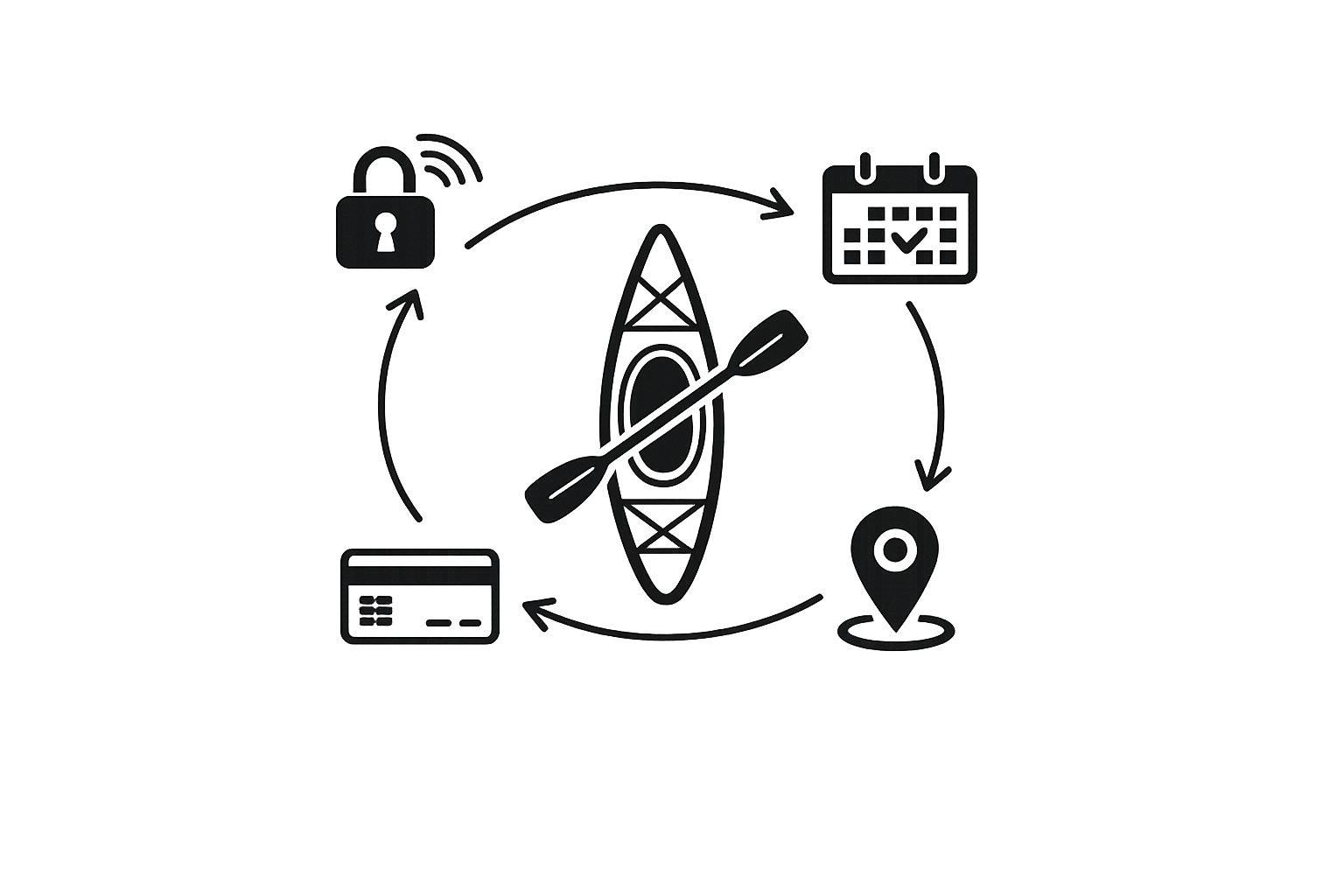
Setup Automated Self Service Bookings for your kayak rental business
January 3, 2026 · 12 min read
Setup Automated Self Service Bookings for your kayak rental business
Want to run your kayak rental business 24/7 with minimal effort? Automated self-service bookings let customers reserve, pay, and access kayaks without in-person interaction. Here's what you need to know:
- Use digital locks like IglooHome to secure kayaks and provide unique access codes.
- Manage bookings, payments, and inventory through Lockii, starting at $12 per kayak per month.
- Embed a booking widget on your website for real-time reservations.
- Integrate Stripe for secure, automated payment processing.
- Track rentals with GPS and maintain kayaks efficiently using audit logs.
This system reduces labor costs, boosts availability, and simplifies operations, allowing you to focus on growing your business. Start with Lockii’s free trial to see how it can streamline your rentals.
Is This The Future of Kayak Rental? Whenever Watersports
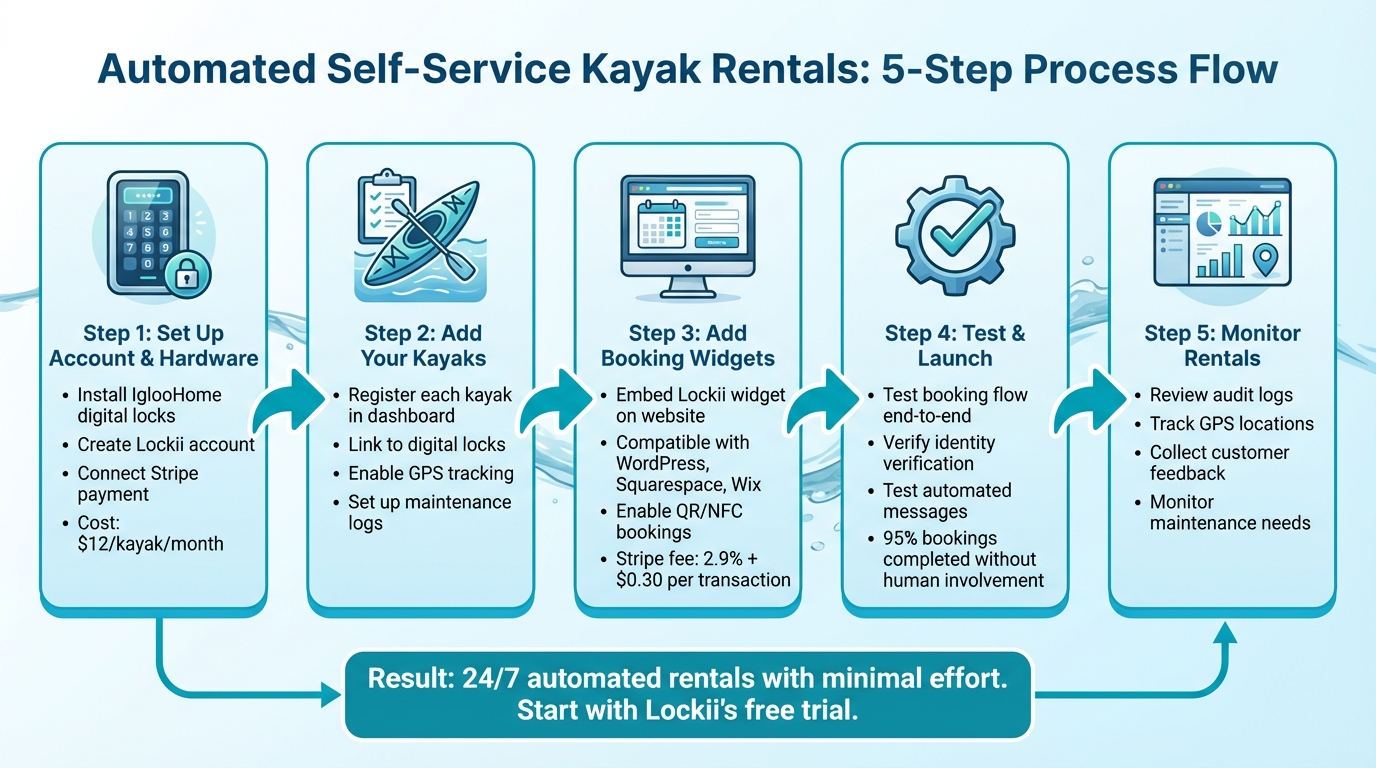
Step 1: Set Up Your Lockii Account and Hardware
To kick things off, you’ll need to secure your kayaks with digital locks and set up a Lockii account to manage bookings seamlessly. This is one of several ways to automate rental business operations to improve efficiency. Let’s dive into the details.
Install IglooHome Digital Locks on Your Kayaks
IglooHome digital locks are the cornerstone of your contactless rental models. These locks not only secure your kayaks but also generate unique access codes that are sent directly to your customers' phones.
Here’s how to get started:
- Download the IglooHome app and register each lock.
- Take note of the authentication code generated for each lock. This code links the hardware to your Lockii account.
- Head over to your Lockii portal, enter the authentication code in the integrations section, and click "Fetch locks" to import your devices.
- Once the locks are imported, enable each one manually in the system.
To make managing your fleet easier, assign each lock a unique identifier, such as a name or number. This small step can save you time when maintaining or troubleshooting your kayaks.
One key thing to remember: customers must use their access code within 24 hours of the booking start time. If not, the code becomes invalid [3]. Since IglooHome locks work offline, once a code is activated, it remains valid until the rental period ends and cannot be revoked prematurely.
Create Your Lockii Account and Choose Your Plan
Head to the Lockii website and click "Get Started" to set up your account. You can start with a free trial to explore features like automated identity verification and GPS tracking before making a long-term commitment.
Lockii charges $12 per month for each kayak [2]. For instance, managing five kayaks would cost $60 monthly. If you’re managing a larger fleet, volume discounts can help reduce costs.
To streamline your operations further, connect your Stripe account for payment processing. Don’t forget to activate Maintenance Management to block out kayaks that are undergoing repairs.
With your digital locks set up and your Lockii account ready, you’ve got everything in place to move on to integrating bookings and payments on your website.
Step 2: Add Your Kayaks to Lockii
Organize and manage your kayak rentals by registering them in Lockii, creating a centralized, easily trackable inventory.
Register Each Kayak and Connect Digital Locks
Head to your Rental Dashboard to add each kayak to your system. Each kayak gets its own unique record, which is directly linked to the IglooHome lock you previously installed. This connection is what allows automated access codes to work without a hitch, addressing common self-service rental questions regarding security and reliability.
For each kayak, gather clear photos, a short description, and key details like type, weight capacity, and standout features. These details will also appear in your booking widget, giving renters the information they need.
When registering, link each kayak to its digital lock using a consistent naming format, such as "Kayak-01 / Lock-01." This not only ensures that access codes are generated automatically but also makes audits and inventory checks much easier.
Each kayak's profile includes an audit trail that tracks orders, status updates, and maintenance activities. When a new booking comes in, Lockii automatically assigns an available kayak based on usage patterns, saving you the hassle of manually matching kayaks to reservations.
Once all kayaks are registered and linked, you can take things a step further by enabling GPS tracking and logging maintenance records to boost efficiency and safety.
Enable GPS Tracking and Maintenance Records
Integrate your GPS tracking system with Lockii to monitor kayak locations in real time. This feature helps confirm returns and flags any location discrepancies that might arise.
Turn on Maintenance Management to mark kayaks as unavailable when repairs are needed. The audit log keeps a detailed record of each kayak’s service history, so you can stay on top of maintenance schedules.
To streamline returns, set up return forms that require renters to upload photos of the kayak at the end of their rental period. These images are automatically added to the audit log, providing visual proof of the kayak’s condition. This step helps you spot potential maintenance needs early, preventing minor issues from turning into costly repairs.
Step 3: Add Booking Widgets to Your Website
Once your kayaks are registered and equipped with tracking, it's time to integrate booking features into your website. This step completes your self-service setup and makes it simple for customers to reserve and pay for rentals directly on your site.
Embed the Lockii Booking Widget
To get started, head over to your Lockii Dashboard and find the widget code in the integrations section. Copy this code and paste it into your website's HTML where you'd like the booking form to appear. The widget is compatible with popular platforms like WordPress, Squarespace, and Wix.
When the widget is live, it provides a seamless booking experience. Customers can view real-time kayak availability, select rental dates, add extras like paddles or life jackets, and complete their reservations - all without leaving your site. Best of all, the system syncs every booking detail with your Lockii dashboard, automatically assigning kayaks based on your inventory.
The widget also supports QR and NFC-based bookings, which is perfect for walk-up renters. They can simply scan a code at your location to book and pay on the spot, making the process quick and easy [1].
With the booking system in place, the next step is to set up payment processing to handle transactions smoothly.
Connect Stripe for Payment Processing
To manage payments, link your Stripe account to Lockii. If you don’t have an account yet, sign up at stripe.com. You’ll need to provide your business details and bank account information. Once registered, grab your API keys from the "Developers" section and activate the integration within Lockii's settings.
Stripe ensures secure transactions with PCI DSS Level 1 certification [4]. After a customer completes their booking, Stripe processes the payment, and Lockii generates and sends the digital lock code via email and SMS automatically.
Stripe charges a standard fee of 2.9% + $0.30 per successful transaction [4]. To make checkouts even faster, enable Stripe Link in your dashboard. This feature allows returning customers to pay in just a few seconds using their saved payment details, which can help improve booking conversion rates [4]. Before going live, test the system using Stripe’s test mode to ensure everything runs smoothly.
sbb-itb-eb44693
Step 4: Test and Launch Your Self-Service System
Before you officially roll out your system, it's crucial to run a thorough test. Simulate a booking from start to finish to ensure that every automated feature - like digital lock access and customer messaging - works just as it should. This testing phase ensures everything you’ve set up operates smoothly.
Test Identity Verification and Automated Messages
Start by making a test booking using your website widget. Go through the process of selecting a kayak, choosing rental dates, and completing payment through Stripe's test mode. Pay close attention to the identity verification step powered by Stripe Identity. This step should prompt you to upload a photo ID before providing the digital lock code.
Once the booking is submitted, check your phone and email to ensure all automated messages are sent at the right times. You should receive a confirmation email immediately, followed by SMS messages containing the lock code. Test the lock code to confirm it unlocks the digital lock properly. According to Lockii, 95% of customer bookings are completed without any human involvement [1], so it’s critical that these systems are working perfectly from day one.
For returns, test the process by submitting return photos, completing any required quizzes, and reviewing the audit log. Make sure the system logs GPS data accurately and updates the kayak’s availability status. Verify that all booking details, GPS coordinates, and return documentation are recorded correctly.
Once you’ve confirmed these core features are working, move on to activating and testing the customer portal.
Activate the Customer Portal and Self-Service Features
Enable the customer portal so renters can manage their bookings independently. Log in as a test customer using the "Find My Order" page to ensure that booking details, lock codes, and rental information display correctly. This portal is a key tool for reducing customer service inquiries, as it allows renters to access the information they need without having to contact you.
Next, test the self-service extension feature by attempting to extend your test rental period through the portal. The system should automatically calculate the additional cost, process the payment via Stripe, and update the lock code’s validity to reflect the new rental end time. This feature is particularly useful for renters who decide to extend their time on the water.
Finally, test the maintenance blocking feature by marking a kayak as unavailable for service. Confirm that the kayak immediately disappears from your booking widget to prevent new reservations.
Once all these tests are successfully completed, you’re ready to monitor your rentals using Lockii’s tracking tools.
Step 5: Monitor Your Rentals with Lockii's Tracking Tools
After setting up your self-service kayak rental system, the next step is keeping an eye on your fleet remotely. Lockii's tracking and reporting tools give you a complete overview of your operations, helping you stay on top of any issues and keep things running smoothly.
Review Booking and Item Audit Logs
Each kayak in your fleet has a detailed audit log that tracks every rental activity - whether it's bookings, lock code usage, status updates, or maintenance records. Through the Lockii dashboard, you can see exactly when a kayak was accessed, who used it, and what happened during their rental period.
Checking lock access records regularly is a great way to confirm pickup and return times, tighten security, and identify usage trends. For instance, if you notice a specific location where renters often return kayaks late, you might want to tweak your automated reminder messages or update return instructions to address the issue.
The maintenance history in the audit logs is also incredibly useful. It provides a clear snapshot of each kayak’s performance over time, helping you make informed decisions about repairs or replacements based on how often it's been used and serviced.
Collect Customer Feedback with End-of-Hire Features
Lockii doesn't stop at tracking - it also helps you gather valuable customer feedback to improve your operations. The hire-end features, like photo submissions and quizzes, create a clear record of each kayak's condition and allow you to collect useful insights after every rental.
Ask customers to upload photos of the kayak through the customer portal when they return it. These images serve as a timestamped record of its condition, helping you pinpoint when damage happens and who is responsible.
The hire-end quizzes let you gather specific feedback right after the rental. You can customize these forms to ask about things like water conditions, equipment performance, or any problems they experienced. This feedback is automatically linked to the item audit logs, making it easy to spot recurring issues. For example, if several renters mention that a certain kayak's seat is uncomfortable, you'll notice the pattern and can address it promptly.
Lockii’s built-in GPS tracking adds another layer of oversight. It provides real-time location updates, confirming that kayaks are returned to the correct spot. The system cross-checks GPS data with customer-submitted return forms and photos, alerting you immediately if something doesn’t match up. This eliminates the need for constant physical checks at return locations, saving you time and hassle.
Conclusion
This guide has walked you through a straightforward five-step process to automate your kayak rentals. By implementing digital locks, integrating your kayaks into an automated system, embedding booking widgets on your website, testing the setup, and keeping an eye on rentals, you can turn a manual operation into a seamless, 24/7 revenue stream. This approach not only removes the need for on-site staff but also gives your customers the flexibility to rent whenever it suits them.
The upfront investment quickly pays off by cutting labor costs and increasing availability. With automated bookings, the system takes care of everything in the background - identity verification, payment processing, GPS tracking, and return confirmations - leaving you free to focus on growing your business.
Imagine your business running around the clock. Customers can grab a kayak at 6:00 AM for a peaceful sunrise paddle or return it at midnight after a late-night adventure, all without requiring any direct involvement from you.
This self-service model slashes operating costs and opens doors to scalable rental expansion. You can easily add new rental locations without worrying about hiring staff or securing office space, giving you the flexibility to grow your business on your terms.
Curious to see how this works for your kayak rentals? Start with Lockii's free trial [2] and experience the ease of contactless rentals. Once you see the benefits of automated operations, you'll wonder how you ever managed with manual check-ins. Activate your free trial today and take the first step toward transforming your rental business.